
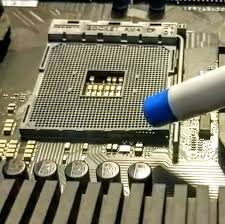
The CPU socket is one of the most critical components on a computer motherboard. It securely connects the processor (CPU) to the motherboard and ensures stable electrical communication. When this socket is damaged, the system may fail to boot, overheat, or show no display. CPU Socket Replacement becomes essential in such cases to restore system functionality and prevent further hardware damage. Modern motherboards use advanced socket designs with delicate pins and contact points. Even a small physical defect can cause major system instability. Professional CPU Socket Replacement ensures accurate repair, compatibility, and long-term reliability. Why CPU Socket Replacement Is Important Ignoring a damaged CPU socket can permanently damage the processor and motherboard. Timely CPU Socket Replacement offers several benefits: ✔ Restores proper CPU connectivity✔ Prevents CPU overheating✔ Fixes no power or no display issues✔ Avoids repeated system crashes✔ Saves motherboard replacement cost✔ Extends system lifespan Replacing the CPU socket at the right time protects expensive components. Common Causes of CPU Socket Damage Understanding the causes helps prevent future failures. ✔ Bent or broken socket pins ✔ Improper CPU installation ✔ Excessive force during CPU removal ✔ Dust or foreign particles inside socket ✔ Liquid spillage on motherboard ✔ Electrical short circuit ✔ Overheating due to poor cooling ✔ Using incompatible CPU Each cause may require professional CPU Socket Replacement. Symptoms That Indicate CPU Socket Replacement Is Needed You may need CPU Socket Replacement if you notice: These signs indicate serious motherboard-level issues. Types of CPU Sockets Repaired or Replaced Professional CPU Socket Replacement supports various socket types: Intel CPU Socket Replacement LGA 1151, LGA 1200, LGA 1700, and other Intel sockets. AMD CPU Socket Replacement AM4, AM5, and legacy PGA socket types. Each socket requires model-specific tools and precision handling. CPU Socket Replacement Process A professional CPU Socket Replacement service includes: 1. Detailed Motherboard Diagnosis Confirming socket damage and ruling out CPU failure. 2. CPU Compatibility Check Ensuring the processor is undamaged and reusable. 3. Socket Removal Careful desoldering of the damaged socket using rework stations. 4. New Socket Installation Precision alignment and soldering of the replacement socket. 5. Pin & Contact Testing Ensuring all socket connections are intact. 6. BIOS & Boot Testing Verifying CPU detection and stable system startup. 7. Stress & Temperature Testing Ensuring proper thermal performance. Benefits of Professional CPU Socket Replacement Choosing expert CPU Socket Replacement ensures: ✔ Accurate fault diagnosis✔ Advanced BGA & rework tools✔ Compatible socket installation✔ CPU safety during repair✔ Stable system performance✔ Warranty-backed service Professional repair avoids irreversible damage. CPU Socket Replacement vs Motherboard Replacement CPU Socket Replacement Is Recommended When: ✔ Motherboard is otherwise healthy✔ Socket damage is localized✔ CPU is valuable and undamaged✔ Repair cost is economical Motherboard Replacement Is Better When: ✖ PCB tracks are severely damaged✖ Multiple chipset failures exist✖ Liquid damage is widespread✖ Repair cost exceeds board value Expert evaluation helps choose the right option. CPU Socket Replacement for Desktop Computers Professional CPU Socket Replacement services are ideal for: Precision repair ensures performance stability. Common Issues Fixed After CPU Socket Replacement After successful CPU Socket Replacement, issues such as: ✔ No display problem✔ CPU overheating✔ Boot loop errors✔ CPU not detected✔ Sudden shutdowns are permanently resolved. Precautions After CPU Socket Replacement To avoid repeat socket damage: Proper handling protects the repaired socket. Why Choose Expert CPU Socket Replacement Service DIY CPU socket repair can cause: ✖ Permanent motherboard damage✖ Broken PCB tracks✖ CPU pin destruction✖ Total system failure Professional CPU Socket Replacement provides: ✔ Skilled motherboard technicians✔ Precision soldering equipment✔ Safe CPU handling✔ Reliable and tested repairs Expert service ensures peace of mind. For computer repair and motherboard services, visit: Learn about CPU sockets and processors: Conclusion A damaged CPU socket can completely disable a computer system, but replacing the entire motherboard is not always necessary. Professional CPU Socket Replacement restores proper CPU connectivity, system stability, and thermal performance at a significantly lower cost. With expert diagnosis, precision tools, and careful handling, CPU socket replacement offers a reliable and long-lasting solution for motherboard CPU issues. Quick Links More related posts : CCTV Installation in Bengaluru Computer Repair and Service in Bengaluru TV Installation Service in Bengaluru Printer Repair and Installation Bengaluru Biometric System Installation & Services in Bengaluru Projector Installation Services in Bengaluru Water Purifier Services in Bengaluru AC Installation Services in Bengaluru Washing Machine Repair and Service in Bengaluru Hikvision Camera Contact : Call/Whatsapp : 96060 98888 Google Maps C P U Socket Replacement – Best Solution for Motherboard CPU Issues The CPU socket is one of the most critical components on a computer motherboard. It securely connects the processor (CPU) to the motherboard and ensures stable electrical communication. When this socket is damaged, the system may fail to boot, overheat, or show no display. C P U Socket Replacement becomes essential in such cases to restore system functionality and prevent further hardware damage. Modern motherboards use advanced socket designs with delicate pins and contact points. Even a small physical defect can cause major system instability. Professional C P U Socket Replacement ensures accurate repair, compatibility, and long-term reliability. Why C P U Socket Replacement Is Important Ignoring a damaged CPU socket can permanently damage the processor and motherboard. Timely C P U Socket Replacement offers several benefits: ✔ Restores proper CPU connectivity ✔ Prevents CPU overheating ✔ Fixes no power or no display issues ✔ Avoids repeated system crashes ✔ Saves motherboard replacement cost ✔ Extends system lifespan Replacing the CPU socket at the right time protects expensive components. Common Causes of CPU Socket Damage Understanding the causes helps prevent future failures. ✔ Bent or broken socket pins ✔ Improper CPU installation ✔ Excessive force during CPU removal ✔ Dust or foreign particles inside socket ✔ Liquid spillage on motherboard ✔ Electrical short circuit ✔ Overheating due to poor cooling ✔ Using incompatible CPU Each cause may require professional C P U Socket Replacement. Symptoms That Indicate C P U Socket Replacement Is Needed You may need C P U Socket Replacement if
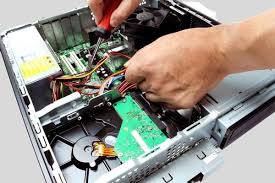
Computer Repair – Best Solution for Desktop & PC Problems
A computer has become an essential part of daily life for work, education, business, and entertainment. When a system fails or slows down, productivity comes to a complete stop. Computer Repair services play a vital role in diagnosing and fixing both hardware and software issues to restore system performance and reliability. Modern computers are complex machines with interconnected components. Even a small fault can lead to frequent crashes, data loss, or complete system failure. Professional Computer Repair ensures accurate fault detection, safe repairs, and long-term performance improvement. Why Computer Repair Is Important Delaying Computer Repair can worsen internal damage and increase repair costs. Timely service provides multiple benefits: ✔ Restores system speed and stability✔ Prevents data loss✔ Extends computer lifespan✔ Improves overall performance✔ Reduces overheating and power issues✔ Saves money compared to replacement Regular maintenance and repair keep your computer functioning efficiently. Common Causes of Computer Problems Understanding why computers fail helps in early prevention. ✔ Dust accumulation inside CPU ✔ Hardware aging and wear ✔ Power supply fluctuations ✔ Virus and malware infection ✔ Corrupt operating system ✔ Faulty RAM or hard drive ✔ Overheating due to fan failure ✔ Improper software installation Each issue requires a specific Computer Repair solution. Symptoms That Indicate Computer Repair Is Needed You may need professional Computer Repair if you notice: Ignoring these signs can cause permanent damage. Types of Computer Repair Services 1. Hardware Computer Repair Fixes physical component issues such as motherboard, RAM, hard disk, power supply, and cooling fans. 2. Software Computer Repair Resolves operating system errors, driver problems, and application crashes. 3. Virus & Malware Removal Eliminates harmful programs affecting system speed and security. 4. Data Recovery & Backup Recovers lost data due to hard drive failure or OS corruption. 5. Computer Upgrade Services Includes RAM upgrade, SSD installation, and processor upgrades. Desktop Computer Repair Services Covered Professional Computer Repair services include: Motherboard Repair Fixing power failure, short circuits, and chipset issues. SMPS / Power Supply Repair Resolving no-power or auto-shutdown problems. Hard Disk & SSD Repair Fixing boot errors, bad sectors, and slow loading issues. RAM Troubleshooting Resolving beeping sounds and boot failures. CPU Fan & Cooling Repair Preventing overheating and sudden shutdowns. Display & VGA Issue Repair Fixing no display, flickering screen, or resolution problems. Computer Repair for Different Usage Needs Home Computer Repair Fixes browsing, media, and general-use issues. Office Computer Repair Ensures uninterrupted productivity and network connectivity. Business Computer Repair Supports servers, accounting systems, and security. Student Computer Repair Fixes study, online class, and project-related issues. Each environment requires specialized Computer Repair handling. Computer Repair for Branded PCs Expert Computer Repair services support: Brand-specific repair ensures compatibility and reliability. Benefits of Professional Computer Repair Choosing expert Computer Repair services ensures: ✔ Accurate fault diagnosis✔ Genuine spare parts✔ Advanced testing tools✔ Data safety and privacy✔ Long-lasting repair results✔ Warranty-backed service Professional repair avoids trial-and-error damage. Computer Repair vs Buying a New Computer Computer Repair Is Best When: ✔ System is less than 6–7 years old✔ Issue is component-based✔ Upgrade can improve performance✔ Data is important Replacement Is Recommended When: ✖ Motherboard is completely damaged✖ Multiple components have failed✖ Repair cost exceeds system value Expert consultation helps make the right decision. Preventive Maintenance Tips After Computer Repair To avoid frequent Computer Repair needs: Preventive care improves system life. Why Choose Expert Computer Repair Service DIY repairs can cause: ✖ Data loss✖ Electrical damage✖ Component short circuits✖ Void manufacturer warranty Professional Computer Repair offers: ✔ Skilled technicians✔ Proper diagnostic equipment✔ Safe repair practices✔ Time-saving solutions Expert service ensures peace of mind. For computer repair services, visit: Learn about computer hardware basics: Conclusion Reliable Computer Repair services are essential to maintain system performance, protect valuable data, and ensure uninterrupted productivity. Whether the issue involves hardware failure, software corruption, virus infection, or slow performance, professional repair delivers accurate diagnosis and durable solutions. With expert servicing and proper maintenance, your computer can continue performing efficiently for years to come. Quick Links More related posts : CCTV Installation in Bengaluru Computer Repair and Service in Bengaluru TV Installation Service in Bengaluru Printer Repair and Installation Bengaluru Biometric System Installation & Services in Bengaluru Projector Installation Services in Bengaluru Water Purifier Services in Bengaluru AC Installation Services in Bengaluru Washing Machine Repair and Service in Bengaluru Hikvision Camera Contact : Call/Whatsapp : 96060 98888 Google Maps Computer Re-pair – Best Solution for Desktop & PC Problems A computer has become an essential part of daily life for work, education, business, and entertainment. When a system fails or slows down, productivity comes to a complete stop. Computer Re-pair services play a vital role in diagnosing and fixing both hardware and software issues to restore system performance and reliability. Modern computers are complex machines with interconnected components. Even a small fault can lead to frequent crashes, data loss, or complete system failure. Professional Computer Re-pair ensures accurate fault detection, safe repairs, and long-term performance improvement. Why Computer Re-pair Is Important Delaying Computer Re-pair can worsen internal damage and increase repair costs. Timely service provides multiple benefits: ✔ Restores system speed and stability ✔ Prevents data loss ✔ Extends computer lifespan ✔ Improves overall performance ✔ Reduces overheating and power issues ✔ Saves money compared to replacement Regular maintenance and repair keep your computer functioning efficiently. Common Causes of Computer Problems Understanding why computers fail helps in early prevention. ✔ Dust accumulation inside CPU ✔ Hardware aging and wear ✔ Power supply fluctuations ✔ Virus and malware infection ✔ Corrupt operating system ✔ Faulty RAM or hard drive ✔ Overheating due to fan failure ✔ Improper software installation Each issue requires a specific Computer Re-pair solution. Symptoms That Indicate Computer Re-pair Is Needed You may need professional Computer Re-pair if you notice: Computer not turning ON Very slow performance Frequent system hangs Blue screen errors Automatic restarts No display on monitor Loud fan noise Overheating CPU USB ports not working Internet connectivity issues Ignoring these signs can cause permanent damage. Types of Computer Re-pair Services
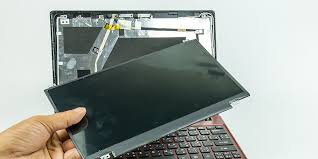
Laptop Display Repair – Best Solution for Screen & Display Problems
Laptop Display Repair is one of the most essential services for users who depend on laptops for work, education, business, and entertainment. A laptop screen is a delicate component, and even minor issues like flickering, lines, or dim brightness can severely affect productivity. When the display stops working properly, professional Laptop Display Repair restores clarity, brightness, and smooth functionality without the need to replace the entire laptop. Modern laptops use LED, LCD, Full HD, and IPS panels that require expert handling. With timely repair and correct diagnosis, most display issues can be fixed quickly and cost-effectively. Why Laptop Display Repair Is Important Ignoring display problems can worsen damage and increase repair costs. Timely Laptop Display Repair offers many benefits: ✔ Restores clear and sharp visuals ✔ Prevents further internal damage ✔ Saves cost compared to laptop replacement ✔ Improves productivity and comfort ✔ Extends laptop lifespan ✔ Ensures eye comfort and safety Professional repair ensures factory-level display performance. Common Laptop Display Problems That Need Repair Expert Laptop Display Repair services handle: Each issue may originate from different components. Types of Laptop Display Repair Services 1. Laptop Screen Replacement Required when the panel is cracked, shattered, or permanently damaged. 2. Laptop Display Cable Repair Fixing loose or damaged LVDS or eDP cables. 3. Laptop Backlight Repair Resolving dim screen or no display with flashlight visibility. 4. Laptop Graphics Chip Repair Fixing display issues caused by GPU or motherboard faults. 5. Laptop Inverter Repair (Older Models) Repairing power supply to LCD backlight. Laptop Display Repair for Different Laptop Types Professional Laptop Display Repair services support: Each type requires specific panel handling. Laptop Display Repair for Major Components Laptop Display Panel Repair Fixing minor display defects where replacement is not needed. Laptop Display Panel Replacement Installing original or compatible screens. Laptop Display Connector Repair Repairing broken or loose connectors. Laptop Motherboard Display Circuit Repair Resolving signal output issues. Laptop Brands Supported for Display Repair Expert Laptop Display Repair services support: Brand-specific panels ensure perfect fit and resolution. Laptop Display Repair Process A professional Laptop Display Repair service follows: 1. Display Diagnosis Identifying whether the issue is panel, cable, or motherboard-related. 2. Panel Compatibility Check Matching size, resolution, connector, and refresh rate. 3. Safe Disassembly Carefully removing the damaged display. 4. Repair or Replacement Fixing components or installing a new screen. 5. Calibration & Testing Adjusting brightness, color, and resolution. 6. Final Quality Check Ensuring stable and clear display output. Benefits of Professional Laptop Display Repair ✔ High-quality replacement panels ✔ Accurate fault detection ✔ Cost-effective service ✔ Skilled technicians ✔ Warranty-backed repair ✔ Quick turnaround time Expert handling prevents secondary damage. Laptop Display Repair vs Laptop Replacement Laptop Display Repair is recommended when:✔ Laptop works properly except screen✔ Motherboard and processor are healthy✔ Panel replacement is affordable Laptop Replacement is required when:✖ Motherboard and screen both damaged✖ Laptop is obsolete✖ Repair cost exceeds replacement value Professional advice ensures correct decision-making. Common Causes of Laptop Display Damage Using protective cases reduces display risk. Precautions After Laptop Display Repair To protect your repaired screen: Proper care extends display life. Why Choose Expert Laptop Display Repair Service DIY attempts may cause:✖ Panel damage✖ Cable breakage✖ Motherboard short circuits Professional Laptop Display Repair ensures:✔ Correct tools✔ Genuine or compatible screens✔ Safe installation✔ Long-term reliability Expert service protects your device investment. Internal Link (Under 120 Characters) For laptop repair services, visit:https://electrolivetech.com/laptop-repair-and-services-in-bengaluru/ External Outbound Link (Dofollow) Learn about laptop display technology:https://www.techradar.com/news/laptop-screen-types-explained Conclusion Laptop Display Repair is the most efficient and economical solution for screen-related laptop issues. Whether the problem involves flickering, no display, cracked screen, or color distortion, professional repair restores clarity, comfort, and productivity. With expert diagnosis and quality replacement, your laptop can continue delivering reliable performance for years. Quick Links More related posts : CCTV Installation in Bengaluru Computer Repair and Service in Bengaluru TV Installation Service in Bengaluru Printer Repair and Installation Bengaluru Biometric System Installation & Services in Bengaluru Projector Installation Services in Bengaluru Water Purifier Services in Bengaluru AC Installation Services in Bengaluru Washing Machine Repair and Service in Bengaluru Hikvision Camera Contact : Call/Whatsapp : 96060 98888 Google Maps Laptop Display Re-pair – Best Solution for Screen & Display Problems Laptop Display Re-pair is one of the most essential services for users who depend on laptops for work, education, business, and entertainment. A laptop screen is a delicate component, and even minor issues like flickering, lines, or dim brightness can severely affect productivity. When the display stops working properly, professional Laptop Display Re-pair restores clarity, brightness, and smooth functionality without the need to replace the entire laptop. Modern laptops use LED, LCD, Full HD, and IPS panels that require expert handling. With timely repair and correct diagnosis, most display issues can be fixed quickly and cost-effectively. Why Laptop Display Re-pair Is Important Ignoring display problems can worsen damage and increase repair costs. Timely Laptop Display Re-pair offers many benefits: ✔ Restores clear and sharp visuals ✔ Prevents further internal damage ✔ Saves cost compared to laptop replacement ✔ Improves productivity and comfort ✔ Extends laptop lifespan ✔ Ensures eye comfort and safety Professional repair ensures factory-level display performance. Common Laptop Display Problems That Need Repair Expert Laptop Display Re-pair services handle: Laptop screen not turning ON No display but laptop power ON Flickering laptop screen Vertical or horizontal lines Broken or cracked screen Dim or dark display White screen or black screen Screen color distortion Dead pixels Display goes off randomly Each issue may originate from different components. Types of Laptop Display Re-pair Services 1. Laptop Screen Replacement Required when the panel is cracked, shattered, or permanently damaged. 2. Laptop Display Cable Repair Fixing loose or damaged LVDS or eDP cables. 3. Laptop Backlight Repair Resolving dim screen or no display with flashlight visibility. 4. Laptop Graphics Chip Repair Fixing display issues caused by GPU or motherboard faults. 5. Laptop Inverter Repair (Older Models) Repairing power supply to LCD backlight. Laptop Display Re-pair for Different Laptop Types Professional Laptop Display Re-pair services

Computer Display Issue repair services for no display, flickering screen, resolution problems, color distortion, and monitor connectivity issues.
A Computer Display Issue can severely affect productivity, whether you are using a desktop for office work, education, design, or gaming. Problems such as no display, flickering screen, distorted colors, low resolution, or blank monitor are common signs of underlying hardware or software faults. Modern computers depend on proper signal transmission between the CPU, graphics card, and monitor, and any interruption can result in display failure. Instead of replacing your entire computer or monitor, professional Computer Display Issue repair services offer a reliable and cost-effective solution. With expert diagnosis and correct troubleshooting, display problems can be resolved efficiently and safely. Why Computer Display Issue Happens Understanding the causes of a Computer Display Issue helps prevent recurring problems. ✔ Loose or Damaged Display Cable ✔ Faulty Graphics Card (GPU) ✔ Monitor Panel Failure ✔ Power Supply Issues ✔ Incorrect Display Settings ✔ Driver or Software Errors ✔ Motherboard Display Port Damage ✔ Overheating Components Each cause requires a specific diagnostic and repair approach. Common Signs of Computer Display Issue You may need professional Computer Display Issue repair if you experience: Ignoring these signs can lead to permanent hardware damage. Types of Computer Display Issues Repaired 1. Computer No Display Issue Caused by GPU failure, RAM issues, or power supply faults. 2. Flickering Screen Issue Often due to loose cables, driver problems, or monitor defects. 3. Resolution & Scaling Issue Incorrect driver installation or display settings cause blurred output. 4. Color Distortion Issue Linked to graphics card, monitor panel, or cable problems. 5. Display Port & HDMI Issue Damaged ports result in intermittent or no signal. Computer Display Issue in Different Systems Professional services support all system types: Each system uses different hardware configurations. What Is Included in Computer Display Issue Repair Service A professional Computer Display Issue repair service includes: 1. Display Signal Diagnosis Testing HDMI, VGA, DVI, and DisplayPort connections. 2. GPU & Motherboard Testing Checking onboard and dedicated graphics output. 3. Monitor Panel Testing Identifying backlight or panel faults. 4. Driver & Software Fix Updating or reinstalling graphics drivers. 5. Cable & Port Replacement Fixing damaged connectors and ports. 6. Power Supply Inspection Ensuring stable voltage to GPU and monitor. 7. Final Display Calibration Adjusting resolution, refresh rate, and color balance. Benefits of Professional Computer Display Issue Repair ✔ Restores Clear Visual Output ✔ Improves System Stability ✔ Prevents Hardware Replacement ✔ Saves Cost Compared to New Computer ✔ Enhances User Experience ✔ Extends System Lifespan Expert service ensures accurate diagnosis and long-term reliability. Computer Display Issue vs Monitor Replacement Repair is recommended when:✔ Cable or port fault✔ Driver or software issue✔ GPU repair possible✔ Power supply instability Replacement is required when:✖ Monitor panel cracked✖ Severe burn-in✖ GPU completely damaged Professional inspection determines the best solution. Computer Brands Supported for Display Issue Repair Expert Computer Display Issue services are available for: Each brand has unique display output configurations. Common Causes of Computer Display Damage Using surge protectors and proper ventilation reduces display issues. Precautions After Computer Display Issue Repair To maintain display performance: Good maintenance prevents future display failures. Why Choose Professional Computer Display Issue Repair DIY fixes may worsen the problem. Professional service ensures: ✔ Accurate fault identification✔ Safe hardware handling✔ Advanced diagnostic tools✔ Brand-specific expertise✔ Warranty-backed service Experts restore your computer’s visual performance safely. Internal Link (Under 120 Characters) For computer repair services, visit:https://electrolivetech.com/computer-repair-and-service-and-installation-in-bangalore/ External Outbound Link (Dofollow) Learn about computer display technology:https://www.techopedia.com/ Conclusion A Computer Display Issue can disrupt work, gaming, and daily tasks. Whether the problem is no display, flickering screen, resolution error, or color distortion, professional repair offers the most reliable and affordable solution. Early diagnosis prevents major hardware damage and restores smooth, clear visuals. With expert service and proper calibration, your computer display can perform like new again. Quick Links More related posts : CCTV Installation in Bengaluru Computer Repair and Service in Bengaluru TV Installation Service in Bengaluru Printer Repair and Installation Bengaluru Biometric System Installation & Services in Bengaluru Projector Installation Services in Bengaluru Water Purifier Services in Bengaluru AC Installation Services in Bengaluru Washing Machine Repair and Service in Bengaluru Hikvision Camera Contact : Call/Whatsapp : 96060 98888 Google Maps A ComputerDisplay Issue can severely affect productivity, whether you are using a desktop for office work, education, design, or gaming. Problems such as no display, flickering screen, distorted colors, low resolution, or blank monitor are common signs of underlying hardware or software faults. Modern computers depend on proper signal transmission between the CPU, graphics card, and monitor, and any interruption can result in display failure. Instead of replacing your entire computer or monitor, professional Computer Display ssue repair services offer a reliable and cost-effective solution. With expert diagnosis and correct troubleshooting, display problems can be resolved efficiently and safely. Why Computer Displa Issue Happens Understanding the causes of a Compu ✔ Monitor Panel Failure ✔ Power Supply Issues ✔ Incorrect Display Settings ✔ Driver or Software Errors ✔ Motherboard Display Port Damage ✔ Overheating Components Each cause requires a specific diagnostic and repair approach. Common Signs of Computer Display Issue You may need professional Computer Display Issue repair if you experience: Computer turns ON but no display Blank or black screen Flickering or blinking display Distorted or stretched resolution Color patches or faded colors Lines on screen Screen freezing randomly Display works only on external monitor “No signal” message on monitor Ignoring these signs can lead to permanent hardware damage. Types of Computer Display Issues Repaired 1. Computer No Display Issue Caused by GPU failure, RAM issues, or power supply faults. 2. Flickering Screen Issue Often due to loose cables, driver problems, or monitor defects. 3. Resolution & Scaling Issue Incorrect driver installation or display settings cause blurred output. 4. Color Distortion Issue Linked to graphics card, monitor panel, or cable problems. 5. Display Port & HDMI Issue Damaged ports result in intermittent or no signal. Computer Display Issue in Different Systems Professional services support all system types: Desktop Computer Display Issue Repair All-in-One Computer Display Issue Repair Gaming PC Display Issue Repair Office Computer Display Issue Repair Workstation Display Issue Repair Each

Laptop Display Repair – Best Solution for Screen & Visual Problems
Professional Laptop Display Repair is essential when your laptop screen shows cracks, black display, flickering, color distortion, or vertical lines. The display is one of the most sensitive and expensive components of a laptop. Even a minor fault can severely affect usability and productivity. Instead of replacing the entire laptop, Laptop Display Repair provides a cost-effective and reliable solution to restore your device’s original viewing quality. With expert diagnosis and precise component handling, display issues can be resolved efficiently and safely. Why Laptop Display Repair Is Important A faulty screen makes the laptop difficult or impossible to use. Timely Laptop Display Repair ensures: ✔ Clear & Sharp Visual Output ✔ Protection of Internal Components ✔ Reduced Eye Strain ✔ Extended Laptop Lifespan ✔ Cost Savings Compared to New Laptop Ignoring display issues can damage the motherboard, GPU, or display cable. Common Signs You Need Laptop Display Repair You may require Laptop Display Repair if you experience: These symptoms indicate panel, cable, backlight, or GPU-related faults. Types of Laptop Display Issues Repaired 1. Laptop Screen Crack Repair Accidental drops often damage the LCD or LED panel. 2. Laptop No Display Repair Caused by faulty display cable, backlight, or GPU. 3. Flickering Screen Repair Usually due to loose cable, inverter failure, or panel defect. 4. Lines on Screen Repair Vertical or horizontal lines indicate panel or signal issues. 5. Dim or Dark Display Repair Backlight or inverter replacement required. Laptop Display Repair for All Screen Types Professional services support all display technologies: Each screen type requires precise handling and compatible replacement parts. Laptop Display Repair for All Laptop Types ✔ Business Laptops ✔ Gaming Laptops ✔ Student Laptops ✔ Ultrabooks ✔ Convertible Laptops ✔ Touchscreen Laptops Different laptop designs require model-specific display fitting. What Is Included in Laptop Display Repair Service A professional Laptop Display Repair service includes: 1. Display Diagnosis Testing panel, cable, GPU, and backlight. 2. Screen Replacement Installing original or compatible display panel. 3. Display Cable Inspection Repairing or replacing LVDS/eDP cable. 4. Backlight Repair Fixing dim or dark screens. 5. Bezel & Hinge Check Ensuring safe screen mounting. 6. Brightness & Resolution Calibration Optimizing visual output. 7. Final Testing Full functional and stress testing. Laptop Display Repair vs Display Replacement Repair is suitable when:✔ Cable is loose or damaged✔ Backlight issue exists✔ Connector problem✔ Software or driver issue Replacement is required when:✖ Screen is cracked✖ Dead pixels spread✖ Panel glass broken✖ Liquid damage Technicians recommend the best option after inspection. Laptop Brands Supported for Display Repair Expert Laptop Display Repair services are available for: Each brand uses different connectors and screen specifications. Common Causes of Laptop Display Damage Using a laptop bag and proper hinge care reduces display damage. Precautions After Laptop Display Repair To extend display life: Preventive care protects your new display. Why Choose Professional Laptop Display Repair DIY attempts may cause further damage. Professional service ensures: ✔ Correct screen compatibility✔ Safe static handling✔ No motherboard damage✔ Warranty-backed repair✔ Long-lasting display performance Expert technicians restore factory-level display quality. For laptop repair services, visit Learn about laptop display technology here Conclusion Professional Laptop Display Repair is the ideal solution for cracked screens, flickering issues, black display, and visual distortion. Timely repair prevents further hardware damage and restores your laptop’s usability. With expert diagnosis, original parts, and careful installation, your laptop screen can perform like new again. Choosing professional service ensures safety, clarity, and long-term reliability. Professional Laptop Display Repair is essential when your laptop screen shows cracks, black display, flickering, color distortion, or vertical lines. The display is one of the most sensitive and expensive components of a laptop. Even a minor fault can severely affect usability and productivity. Instead of replacing the entire laptop, Laptop Display Repair provides a cost-effective and reliable solution to restore your device’s original viewing quality. With expert diagnosis and precise component handling, display issues can be resolved efficiently and safely. Why Laptop Display Repair Is Important A faulty screen makes the laptop difficult or impossible to use. Timely Laptop Display Repair ensures: ✔ Clear & Sharp Visual Output ✔ Protection of Internal Components ✔ Reduced Eye Strain ✔ Extended Laptop Lifespan ✔ Cost Savings Compared to New Laptop Ignoring display issues can damage the motherboard, GPU, or display cable. Common Signs You Need Laptop Display Repair You may require Laptop Display Repair if you experience: Cracked or broken laptop screen No display but power ON Flickering screen Vertical or horizontal lines White screen or black screen Dead pixels or color patches Dim display or brightness issue Screen goes blank intermittently Display works only on external monitor These symptoms indicate panel, cable, backlight, or GPU-related faults. Types of Laptop Display Issues Repaired 1. Laptop Screen Crack Repair Accidental drops often damage the LCD or LED panel. 2. Laptop No Display Repair Caused by faulty display cable, backlight, or GPU. 3. Flickering Screen Repair Usually due to loose cable, inverter failure, or panel defect. 4. Lines on Screen Repair Vertical or horizontal lines indicate panel or signal issues. 5. Dim or Dark Display Repair Backlight or inverter replacement required. Laptop Display Repair for All Screen Types Professional services support all display technologies: LED Laptop Display Repair LCD Laptop Display Repair IPS Display Repair Touch Screen Laptop Repair Slim Bezel Display Repair Anti-Glare Display Repair 4K / UHD Laptop Display Repair Each screen type requires precise handling and compatible replacement parts. Laptop Display Repair for All Laptop Types ✔ Business Laptops ✔ Gaming Laptops ✔ Student Laptops ✔ Ultrabooks ✔ Convertible Laptops ✔ Touchscreen Laptops Different laptop designs require model-specific display fitting. What Is Included in Laptop Display Repair Service A professional Laptop Display Repair service includes: 1. Display Diagnosis Testing panel, cable, GPU, and backlight. 2. Screen Replacement Installing original or compatible display panel. 3. Display Cable Inspection Repairing or replacing LVDS/eDP cable. 4. Backlight Repair Fixing dim or dark screens. 5. Bezel & Hinge Check Ensuring safe screen mounting. 6. Brightness & Resolution Calibration Optimizing visual output. 7. Final Testing Full

Laptop Battery Replacement – Best Solution for Power & Backup Issues
A professional Laptop Battery Replacement service is essential when your laptop no longer holds charge, shuts down suddenly, or requires constant power connection to operate. The battery is one of the most critical components of a laptop, directly affecting portability, productivity, and overall performance. Over time, all laptop batteries degrade due to charging cycles, heat exposure, and natural aging. Instead of replacing the entire laptop, Laptop Battery Replacement offers a cost-effective and reliable solution to restore original backup time and mobility. With expert diagnosis and genuine battery installation, your laptop can perform efficiently again without interruptions. Why Laptop Battery Replacement Is Important Laptop batteries are designed with a limited lifespan. Ignoring battery issues can affect internal components and user experience. ✔ Restores Battery Backup A new battery provides longer usage time without charging. ✔ Prevents Sudden Shutdowns Eliminates unexpected power-offs during work. ✔ Improves Laptop Performance Stable power supply enhances system efficiency. ✔ Protects Internal Components Faulty batteries can damage motherboard or charger circuits. ✔ Enhances Portability Allows you to work freely without power cables. Common Signs You Need Laptop Battery Replacement You may require Laptop Battery Replacement if you notice: Ignoring these signs can lead to permanent hardware damage. Types of Laptop Batteries Replaced Professional Laptop Battery Replacement services cover all battery types: ✔ Lithium-Ion (Li-ion) Batteries ✔ Lithium-Polymer (Li-Po) Batteries ✔ Internal Laptop Batteries ✔ Removable Laptop Batteries ✔ High-Capacity Extended Batteries Each battery type requires correct voltage, capacity, and connector compatibility. Laptop Brands Supported for Battery Replacement Expert replacement services are available for all major laptop brands: Every brand uses model-specific batteries, making professional selection essential. What Is Included in Laptop Battery Replacement Service A professional Laptop Battery Replacement process includes: 1. Battery Health Diagnosis Battery condition and charge cycles are checked. 2. Compatibility Verification Correct model number, voltage, and capacity confirmed. 3. Safe Laptop Disassembly Laptop opened carefully to avoid damage. 4. Old Battery Removal Degraded or swollen battery removed safely. 5. New Battery Installation Genuine or high-quality compatible battery installed. 6. Charging & Power Testing Charging speed and backup time tested. 7. Calibration & Optimization Battery calibration performed for accurate readings. Benefits of Professional Laptop Battery Replacement 1. Cost-Effective Cheaper than buying a new laptop. 2. Genuine Battery Assurance Ensures safety and durability. 3. Longer Backup Time Restores original or improved battery life. 4. Warranty Support Most services provide limited battery warranty. 5. Safe Installation Prevents short circuits and internal damage. Laptop Battery Replacement vs Buying New Laptop Battery replacement is ideal when:✔ Laptop performance is good✔ Battery is the main issue✔ Laptop age is under 6–7 years✔ Replacement cost is reasonable New laptop is suggested when:✖ Motherboard or processor issues✖ Multiple hardware failures✖ Very outdated configuration Professional advice helps make the right decision. Common Causes of Laptop Battery Failure Following good charging practices increases battery lifespan. Precautions After Laptop Battery Replacement To maximize battery life: These habits extend battery performance significantly. Why Choose Professional Laptop Battery Replacement Service DIY replacement may damage internal components. Professional service ensures: ✔ Correct battery selection✔ Safe handling of internal connectors✔ Proper calibration✔ Charging safety tests✔ Reliable long-term performance Expert technicians ensure your laptop battery replacement is safe and effective. Internal Link (Under 120 Characters) For complete laptop repair services, visit:https://electrolivetech.com/laptop-repair-and-services-in-bengaluru/ External Outbound Link (Dofollow) Learn about laptop battery technology here:https://www.batteryuniversity.com/ Conclusion Professional Laptop Battery Replacement is the best solution for laptops facing charging, backup, and power-related issues. Instead of replacing the entire laptop, a new battery restores mobility, productivity, and reliability at a lower cost. With genuine batteries, expert installation, and proper calibration, your laptop can function like new again. Choosing professional battery replacement ensures safety, durability, and long-term peace of mind. A professional Laptop Battery Replacement service is essential when your laptop no longer holds charge, shuts down suddenly, or requires constant power connection to operate. The battery is one of the most critical components of a laptop, directly affecting portability, productivity, and overall performance. Over time, all laptop batteries degrade due to charging cycles, heat exposure, and natural aging. Instead of replacing the entire laptop, Laptop Battery Replacement offers a cost-effective and reliable solution to restore original backup time and mobility. With expert diagnosis and genuine battery installation, your laptop can perform efficiently again without interruptions. Why Laptop Battery Replacement Is Important Laptop batteries are designed with a limited lifespan. Ignoring battery issues can affect internal components and user experience. ✔ Restores Battery Backup A new battery provides longer usage time without charging. ✔ Prevents Sudden Shutdowns Eliminates unexpected power-offs during work. ✔ Improves Laptop Performance Stable power supply enhances system efficiency. ✔ Protects Internal Components Faulty batteries can damage motherboard or charger circuits. ✔ Enhances Portability Allows you to work freely without power cables. Common Signs You Need Laptop Battery Replacement You may require Laptop Battery Replacement if you notice: Laptop battery drains quickly Laptop shuts down at low battery percentage Battery not charging fully Laptop works only when charger is connected Overheating battery Battery swelling or bulging Battery health warning messages Charging indicator blinking Laptop turns OFF suddenly Ignoring these signs can lead to permanent hardware damage. Types of Laptop Batteries Replaced Professional Laptop Battery Replacement services cover all battery types: ✔ Lithium-Ion (Li-ion) Batteries ✔ Lithium-Polymer (Li-Po) Batteries ✔ Internal Laptop Batteries ✔ Removable Laptop Batteries ✔ High-Capacity Extended Batteries Each battery type requires correct voltage, capacity, and connector compatibility. Laptop Brands Supported for Battery Replacement Expert replacement services are available for all major laptop brands: Dell Laptop Battery Replacement HP Laptop Battery Replacement Lenovo Laptop Battery Replacement ASUS Laptop Battery Replacement Acer Laptop Battery Replacement Apple MacBook Battery Replacement MSI Laptop Battery Replacement Samsung Laptop Battery Replacement Toshiba Laptop Battery Replacement Sony Laptop Battery Replacement Every brand uses model-specific batteries, making professional selection essential. What Is Included in Laptop Battery Replacement Service A professional Laptop Battery Replacement process includes: 1. Battery Health Diagnosis Battery condition and charge cycles are checked. 2. Compatibility Verification Correct model number, voltage, and capacity confirmed. 3.

Article: Computer Accessories Shop – Best 7 Benefits & Trusted Choice
Finding a reliable Computer Accessories Shop has become essential for every home, business, and professional user who depends on technology for daily tasks. When your computer needs an upgrade, a new peripheral, or a replacement accessory, choosing the right shop makes all the difference in performance, durability, and long-term value. A trustworthy store not only provides genuine products but also offers expert guidance, warranty support, and after-sales service — something customers appreciate the most. A Computer Accessories Shop is more than just a store selling gadgets; it acts as a complete support system that keeps your computer efficient, fast, and problem-free. In today’s digital era where every device is connected, the importance of accessories like routers, keyboards, graphic cards, SSDs, UPS, cables, webcams, printers, and monitors has increased significantly. Choosing the right accessory ensures smoother workflow, better productivity, and enhanced system performance. This article explores the major benefits of selecting a professional Computer Accessories Shop, how to identify a dependable store, the essential accessories every computer user should consider, and why expert guidance matters. We will also look at why customers across Bengaluru often prefer professional shops over online marketplaces for genuine, reliable products. Why Choosing the Right Computer Accessories Shop Matters A professional computer accessories store provides the right balance of quality, affordability, and durability — something online shopping cannot guarantee consistently. A good shop helps customers understand product specifications, compatibility, warranty details, and installation support. For example, if a user needs an external SSD or RAM upgrade, compatibility with the motherboard and OS is crucial. Similarly, gaming users need specialized components such as high-performance keyboards, cooling fans, and dedicated graphic cards. Businesses require heavy-duty UPS systems, routers, printers, and CCTV storage drives. A Computer Accessories Shop offers real-time guidance and ensures that the products purchased are fully compatible with the customer’s system. 1. Wide Range of Genuine Products The biggest advantage of visiting a professional shop is access to original branded accessories. Whether you need a simple HDMI cable or a high-end GPU, a good store will always recommend genuine products that come with standard manufacturer warranty. Common accessories available include: A reliable Computer Accessories Shop ensures every item delivered is quality tested and certified. 2. Expert Guidance for Better Compatibility Choosing a computer accessory without technical knowledge often leads to performance issues. RAM mismatch, unsupported graphics cards, low-quality power supplies, and incompatible SSDs are common mistakes made when buying online. A professional shop eliminates this confusion. Experts analyze your computer configuration, usage needs, and budget, then recommend exactly what fits your system. Whether you need a product for: the right accessory ensures better performance and long life for your computer. 3. After-Sales Support & Warranty Assistance One of the strongest reasons customers choose offline computer accessory stores is warranty and service support. Unlike online purchases where return processes are lengthy, a local shop provides: This saves time and ensures the accessory functions exactly as expected. Whether it’s a faulty RAM, SSD performance drop, or router configuration requirement, an experienced team resolves issues quickly. 4. Affordable Pricing & Transparent Recommendations A good Computer Accessories Shop prioritizes customer satisfaction over sales numbers. They do not push unnecessary products or overpriced accessories. Instead, they recommend what is practical and suitable for your device. Shops also provide: Many accessories like SSDs, keyboards, routers, and webcams are available at better prices in local shops compared to online platforms because there is no heavy shipping or platform fee involved. 5. Installation, Setup & Configuration Support Some accessories require professional installation to avoid hardware damage. For example: An established Computer Accessories Shop guides you through the process or provides doorstep installation services. 6. Customized Solutions for Home, Office & Gaming Every customer has different needs. A student, a gamer, an office employee, and a business owner require different computer setups. Professional shops offer personalized solutions such as: Home Users Basic accessories, Wi-Fi routers, UPS, webcams, keyboard-mouse combos. Office Users Printers, heavy-duty UPS, external HDDs, routers, network tools. Gamers RGB keyboards, high DPI gaming mice, powerful GPUs, cooling fans. Designers & Developers High-resolution monitors, graphic tablets, SSDs, ergonomic accessories. A dependable store ensures you get the right tools to maximize your efficiency. 7. Trusted by Local Communities Customers prefer local shops due to reliability, instant help, and trust built over years. A Computer Accessories Shop becomes a long-term partner for homes and businesses. Essential Accessories Every Computer User Should Own Even a basic computer setup benefits from having the following accessories: For full computer repair and upgrade support, visit our page Learn about global computer accessory standards here Finding a reliable Computer Accessories Shop has become essential for every home, business, and professional user who depends on technology for daily tasks. When your computer needs an upgrade, a new peripheral, or a replacement accessory, choosing the right shop makes all the difference in performance, durability, and long-term value. A trustworthy store not only provides genuine products but also offers expert guidance, warranty support, and after-sales service — something customers appreciate the most. A Computer Accessories Shop is more than just a store selling gadgets; it acts as a complete support system that keeps your computer efficient, fast, and problem-free. In today’s digital era where every device is connected, the importance of accessories like routers, keyboards, graphic cards, SSDs, UPS, cables, webcams, printers, and monitors has increased significantly. Choosing the right accessory ensures smoother workflow, better productivity, and enhanced system performance. This article explores the major benefits of selecting a professional Computer Accessories Shop, how to identify a dependable store, the essential accessories every computer user should consider, and why expert guidance matters. We will also look at why customers across Bengaluru often prefer professional shops over online marketplaces for genuine, reliable products. Why Choosing the Right Computer Accessories Shop Matters A professional computer accessories store provides the right balance of quality, affordability, and durability — something online shopping cannot guarantee consistently. A good shop helps customers understand product specifications, compatibility, warranty details, and installation

Asus Computer Repair – Professional, Fast & Expert Technical Service
When your system stops responding, slows down, or faces hardware issues, choosing the right Asus Computer Repair service becomes essential. Asus desktops, CPUs, all-in-one PCs, and workstations are known for their performance, but like any electronic device, they require proper care, timely repairs, and expert servicing to maintain smooth performance. A professional repair service ensures accurate diagnostics, original spare parts, and long-lasting solutions for home users, office systems, gamers, coders, and heavy multitaskers. Today’s Asus computers come with advanced chipsets, high-speed SSDs, gaming GPUs, cooling systems, RGB cabinets, and the latest Windows OS. These systems require skilled technicians who understand Asus architecture deeply. With professional Asus Computer Repair, you get accurate troubleshooting for motherboard issues, RAM failures, SSD/HDD problems, power supply faults, display errors, Wi-Fi issues, overheating, and software breakdowns. Why Choose Professional Asus Computer Repair Services? DIY solutions or untrained repair vendors may cause more damage than good, especially with premium Asus devices. Expert technicians ensure safe handling and precise repairs with proper tools. Key advantages of choosing expert repair services: ✔ Accurate Problem Diagnosis Professionals use diagnostic tools to identify the exact issue—whether it’s related to hardware, software, or compatibility. This avoids guesswork and saves time. ✔ Original Spare Parts Using genuine Asus components ensures stability, long life, and smooth performance. ✔ Skilled Technicians Familiar with Asus Architecture From gaming PCs to office desktops, experts understand components like Asus motherboards, cooling systems, VRAM, chipsets, and power delivery. ✔ Data Protection & Backup Support Your important files, photos, and office documents are kept safe while repairs are performed. ✔ Quick Turnaround Time Most issues are fixed on the same day or within a few hours. ✔ On-Site and Remote Support Whether it’s software troubleshooting or hardware replacement, experts provide complete support. Common Issues Solved in Asus Computer Repair Asus systems are durable but not immune to faults. Here are the most common problems technicians repair: 1. Slow Performance & Freezing Often caused by: 2. No Display or Black Screen Issues Caused by: 3. Overheating Problems Asus systems, especially gaming rigs, generate heat. Overheating occurs due to: 4. Auto Shutdown or Restart Loop Usually due to PSU issues, motherboard faults, or severe overheating. 5. Hard Disk, SSD & Storage Issues 6. Wi-Fi & Connectivity Failures 7. Graphics Card Problems For gaming Asus systems, GPU issues are common: 8. Windows Installation Errors Blue screen, boot failure, missing files, or corrupted system. 9. Port Issues (USB, HDMI, LAN) Faulty or damaged ports require precise component-level repair. 10. Software Troubleshooting What’s Included in a Complete Asus Computer Repair Service? Professional services give full system coverage, from inside components to software performance. ✔ Complete System Diagnosis Multi-level testing of RAM, SSD, motherboard, GPU, and power supply. ✔ Hardware Repair & Replacement ✔ Software Repair & Optimization ✔ Dust Cleaning & Thermal Maintenance ✔ Backup & Data Recovery Safe backup of your data before repair. ✔ Network & Connectivity Setup Fix for LAN, Wi-Fi, Bluetooth, and router issues. ✔ Performance Upgrades Asus computers benefit from upgrades like: Tips to Maintain Your Asus Computer After Repair Proper maintenance extends the life of your device and keeps performance high. ✔ Keep the device dust-free Dust blocks airflow and increases heat. ✔ Update software regularly OS and driver updates fix bugs and improve stability. ✔ Use a voltage stabilizer Protects your Asus computer from power fluctuations. ✔ Avoid installing unknown apps Low-quality software slows down performance. ✔ Keep storage optimized Always leave 10–20% free storage for faster operation. ✔ Proper ventilation Never block the back or bottom ventilation area. Who Needs Asus Computer Repair Services? This service is ideal for: Each user type benefits from smooth performance, fast booting, healthy thermals, and reliable hardware. More computer repair help Computer safety tips reference Conclusion Professional Asus Computer Repair ensures that your system works at peak performance without slowdowns, hardware faults, or software failures. From overheating issues to display problems, storage faults, motherboard repairs, and Windows errors, experts provide complete solutions with original spare parts and skilled diagnostics. Whether it’s a gaming Asus ROG system, a business desktop, or a home PC, professional repair ensures safety, speed, and long-term reliability. When your system stops responding, slows down, or faces hardware issues, choosing the right Asus Computer Repair service becomes essential. Asus desktops, CPUs, all-in-one PCs, and workstations are known for their performance, but like any electronic device, they require proper care, timely repairs, and expert servicing to maintain smooth performance. A professional repair service ensures accurate diagnostics, original spare parts, and long-lasting solutions for home users, office systems, gamers, coders, and heavy multitaskers. Today’s Asus computers come with advanced chipsets, high-speed SSDs, gaming GPUs, cooling systems, RGB cabinets, and the latest Windows OS. These systems require skilled technicians who understand Asus architecture deeply. With professional Asus Computer Repair, you get accurate troubleshooting for motherboard issues, RAM failures, SSD/HDD problems, power supply faults, display errors, Wi-Fi issues, overheating, and software breakdowns. Why Choose Professional Asus Computer Repair Services? DIY solutions or untrained repair vendors may cause more damage than good, especially with premium Asus devices. Expert technicians ensure safe handling and precise repairs with proper tools. Key advantages of choosing expert repair services: ✔ Accurate Problem Diagnosis Professionals use diagnostic tools to identify the exact issue—whether it’s related to hardware, software, or compatibility. This avoids guesswork and saves time. ✔ Original Spare Parts Using genuine Asus components ensures stability, long life, and smooth performance. ✔ Skilled Technicians Familiar with Asus Architecture From gaming PCs to office desktops, experts understand components like Asus motherboards, cooling systems, VRAM, chipsets, and power delivery. ✔ Data Protection & Backup Support Your important files, photos, and office documents are kept safe while repairs are performed. ✔ Quick Turnaround Time Most issues are fixed on the same day or within a few hours. ✔ On-Site and Remote Support Whether it’s software troubleshooting or hardware replacement, experts provide complete support. Common Issues Solved in Asus Computer Repair Asus systems are durable but not immune to faults. Here

Laptop Service Centre – Reliable & Affordable Laptop Repair Near You
If you are searching for a Laptop Service Centre that delivers fast, genuine, and affordable repair services, this article helps you choose the right professional support. A trusted service centre ensures your device is diagnosed correctly, repaired with quality parts, and returned on time without hidden charges. Why Choose a Professional Laptop Service Centre? A trained technician from a qualified Laptop Service Centre handles your device with the right tools and expertise. Whether it’s a minor software fix or a major motherboard repair, expert handling ensures long-term performance and safety. Services Offered by a Top Laptop Service How a Good Laptop Service Centre Helps You A good centre provides transparent pricing, genuine spares, and a clear repair timeline. They also guide you on maintenance and upgrades like SSD, antivirus, and cooling solutions to keep your laptop running smoothly. Visit our Computer Repair Services page for more details For laptop maintenance tips Conclusion A reliable Laptop Service Centre ensures your device gets expert care at an affordable price. Choosing professional service not only saves money but extends your laptop’s lifespan with assured quality. If you are searching for a Laptop Service Centre that delivers fast, genuine, and affordable repair services, this article helps you choose the right professional support. A trusted service centre ensures your device is diagnosed correctly, repaired with quality parts, and returned on time without hidden charges. Why Choose a Professional Laptop Service Centre? A trained technician from a qualified Laptop Service Centre handles your device with the right tools and expertise. Whether it’s a minor software fix or a major motherboard repair, expert handling ensures long-term performance and safety. Services Offered by a Top Laptop Service Complete laptop diagnosis OS formatting & software installation Flickering screen/black screen repair Keyboard replacement SSD upgrade & RAM upgrade Motherboard chip-level service WiFi & connectivity issue repair Battery & charging port replacement Data recovery support Cooling fan repair & heating issue solutions How a Good Laptop Service Centre Helps You A good centre provides transparent pricing, genuine spares, and a clear repair timeline. They also guide you on maintenance and upgrades like SSD, antivirus, and cooling solutions to keep your laptop running smoothly. Visit our Computer Repair Services page for more details For laptop maintenance tips Conclusion A reliable Laptop Service Centre ensures your device gets expert care at an affordable price. Choosing professional service not only saves money but extends your laptop’s lifespan with assured quality.If you are searching for a Laptop Service Centre that delivers fast, genuine, and affordable repair services, this article helps you choose the right professional support. A trusted service centre ensures your device is diagnosed correctly, repaired with quality parts, and returned on time without hidden charges. Why Choose a Professional Laptop Service Centre? A trained technician from a qualified Laptop Service Centre handles your device with the right tools and expertise. Whether it’s a minor software fix or a major motherboard repair, expert handling ensures long-term performance and safety. Services Offered by a Top Laptop Service Complete laptop diagnosis OS formatting & software installation Flickering screen/black screen repair Keyboard replacement SSD upgrade & RAM upgrade Motherboard chip-level service WiFi & connectivity issue repair Battery & charging port replacement Data recovery support Cooling fan repair & heating issue solutions How a Good Laptop Service Centre Helps You A good centre provides transparent pricing, genuine spares, and a clear repair timeline. They also guide you on maintenance and upgrades like SSD, antivirus, and cooling solutions to keep your laptop running smoothly. Visit our Computer Repair Services page for more details For laptop maintenance tips Conclusion A reliable Laptop Service Centre ensures your device gets expert care at an affordable price. Choosing professional service not only saves money but extends your laptop’s lifespan with assured quality.If you are searching for a Laptop Service Centre that delivers fast, genuine, and affordable repair services, this article helps you choose the right professional support. A trusted service centre ensures your device is diagnosed correctly, repaired with quality parts, and returned on time without hidden charges. Why Choose a Professional Laptop Service Centre? A trained technician from a qualified Laptop Service Centre handles your device with the right tools and expertise. Whether it’s a minor software fix or a major motherboard repair, expert handling ensures long-term performance and safety. Services Offered by a Top Laptop Service Complete laptop diagnosis OS formatting & software installation Flickering screen/black screen repair Keyboard replacement SSD upgrade & RAM upgrade Motherboard chip-level service WiFi & connectivity issue repair Battery & charging port replacement Data recovery support Cooling fan repair & heating issue solutions How a Good Laptop Service Centre Helps You A good centre provides transparent pricing, genuine spares, and a clear repair timeline. They also guide you on maintenance and upgrades like SSD, antivirus, and cooling solutions to keep your laptop running smoothly. Visit our Computer Repair Services page for more details For laptop maintenance tips Conclusion A reliable Laptop Service Centre ensures your device gets expert care at an affordable price. Choosing professional service not only saves money but extends your laptop’s lifespan with assured quality.If you are searching for a Laptop Service Centre that delivers fast, genuine, and affordable repair services, this article helps you choose the right professional support. A trusted service centre ensures your device is diagnosed correctly, repaired with quality parts, and returned on time without hidden charges. Why Choose a Professional Laptop Service Centre? A trained technician from a qualified Laptop Service Centre handles your device with the right tools and expertise. Whether it’s a minor software fix or a major motherboard repair, expert handling ensures long-term performance and safety. Services Offered by a Top Laptop Service Complete laptop diagnosis OS formatting & software installation Flickering screen/black screen repair Keyboard replacement SSD upgrade & RAM upgrade Motherboard chip-level service WiFi & connectivity issue repair Battery & charging port replacement Data recovery support Cooling fan repair & heating issue solutions How a Good Laptop Service Centre Helps You A

Best Dell CPU – Complete 2025 Guide for Buyers
Buying the right and Best Dell CPU computer has become more important than ever, and choosing a Dell CPU is one of the smartest decisions for students, office workers, professionals, gamers, graphic designers, and business owners. Dell is known for its reliability, strong build quality, powerful components, long life, and excellent after-sales support. Whether you want a CPU for office work, online teaching, programming, video editing, or gaming, a Dell CPU delivers long-term dependable performance. This detailed 1100+ word article helps you understand everything about Dell CPUs—their features, benefits, configurations, technical details, performance levels, and how to choose the best model according to your exact needs. What Is a Dell CPU? A Dell CPU refers to the central processing unit (desktop tower or mini PC) manufactured by Dell. These CPUs are built with: They are used for daily tasks, business operations, gaming, browsing, software development, multimedia work, CCTV monitoring, office setup, and several other applications. Why Choose Dell CPU? – Key Advantages 1. Strong Build Quality Dell CPUs are made with premium-grade components that reduce hardware failures and increase lifespan. 2. Long-Term Durability Many users run Dell CPUs for 5–10 years without major issues, supported by Dell’s powerful engineering. 3. Wide Range of Models You can choose from: 4. Faster Processing Power Powered by Intel Core i3, i5, i7, i9 or AMD Ryzen processors, Dell CPUs offer smooth multitasking and fast output. 5. Excellent Heating Control Dell desktops use advanced airflow design, keeping temperature low even under heavy usage. 6. Best Value for Money Compared to custom-assembled PCs, Dell offers: Types of Dell CPUs Available 1. Dell OptiPlex Series Known for business use, durability, and all-day performance. Perfect for: 2. Dell Vostro CPUs Ideal for small businesses, home users, and startup setups. Offers: 3. Dell Inspiron Desktops Perfect for students and families. Great for: 4. Dell Precision Workstations Built for heavy work: These are extremely powerful and built for professionals. 5. Dell Gaming Desktop Series These CPUs offer: Best for gamers and streamers. Internal Components of a Dell CPU Understanding what is inside a Dell CPU helps you make the right choice. A. Processor (CPU Chip) Dell uses Intel or AMD chips such as: B. RAM (Memory) Dell offers: More RAM = smoother performance. C. Storage Dell CPUs support: An SSD significantly improves speed. D. Graphics Card Used in: Dell supports NVIDIA and AMD Radeon GPUs. E. Power Supply High-efficiency power supply ensures: F. Cooling System Multiple fans ensure consistent performance throughout the day. Benefits of Using a Dell CPU for Different Users For Students For Office Users For Graphic Designers For Programmers For Gamers For Businesses How to Choose the Best Dell CPU 1. Identify Your Workload Ask yourself: Choose i3/i5/i7/i9 accordingly. 2. Check RAM 8GB minimum16–32GB recommended for professionals 3. Select Storage Always choose SSD for maximum speed. 4. Check for Graphics Card Gamers and designers need dedicated GPUs. 5. Check Upgrade Options Dell CPUs support RAM and storage upgrades easily. 6. Warranty Choose CPUs with at least 1-year onsite warranty. Maintenance Tips to Extend Your Dell CPU Life Proper care ensures 5–7 years of smooth performance. For repairs, upgrades, and services, visit Learn more about Dell desktop systems Conclusion A Dell CPU is one of the best investments for anyone looking for performance, durability, and long-term reliability. Whether for home, office, education, gaming, or business, Dell desktops offer exceptional value, high-speed output, stable performance, and long-lasting build quality. With multiple models, upgrade options, smart cooling, and strong hardware, Dell CPUs remain a top choice in 2025 for all types of users. Buying the right computer has become more important than ever, and choosing a Dell CPU is one of the smartest decisions for students, office workers, professionals, gamers, graphic designers, and business owners. Dell is known for its reliability, strong build quality, powerful components, long life, and excellent after-sales support. Whether you want a CPU for office work, online teaching, programming, video editing, or gaming, a Dell CPU delivers long-term dependable performance. Best Dell CPU This detailed 1100+ word article helps you understand everything about Dell CPUs—their features, benefits, configurations, technical details, performance levels, and how to choose the best model according to your exact needs. What Is a Dell CPU? A Dell CPU refers to the central processing unit (desktop tower or mini PC) manufactured by Dell. These CPUs are built with: High-quality motherboards Latest Intel or AMD processors Fast RAM SSD or HDD storage Reliable power supply Strong cooling system Durable cabinet They are used for daily tasks, business operations, gaming, browsing, software development, multimedia work, CCTV monitoring, office setup, and several other applications. Why Choose Dell CPU? – Key Advantages 1. Strong Build Quality Dell CPUs are made with premium-grade components that reduce hardware failures and increase lifespan. 2. Long-Term Durability Many users run Dell CPUs for 5–10 years without major issues, supported by Dell’s powerful engineering. 3. Wide Range of Models You can choose from: Entry-level Business-class High-performance Compact mini PCs Gaming-level CPUs 4. Faster Processing Power Powered by Intel Core i3, i5, i7, i9 or AMD Ryzen processors, Dell CPUs offer smooth multitasking and fast output. 5. Excellent Heating Control Dell desktops use advanced airflow design, keeping temperature low even under heavy usage. 6. Best Value for Money Compared to custom-assembled PCs, Dell offers: Better reliability Better parts Better warranty Better service network Types of Dell CPUs Available 1. Dell OptiPlex Series Known for business use, durability, and all-day performance. Perfect for: Office Shop billing CCTV monitoring School administration Education centers 2. Dell Vostro CPUs Ideal for small businesses, home users, and startup setups. Offers: Strong performance Affordable price Stable operation 3. Dell Inspiron Desktops Perfect for students and families. Great for: Browsing Online classes Daily work Light gaming 4. Dell Precision Workstations Built for heavy work: AutoCAD 3D modeling Video editing Architecture work Software development These are extremely powerful and built for professionals. 5. Dell Gaming Desktop Series These CPUs offer: High-end GPU Fast processors RGB cabinets Strong cooling Best
