
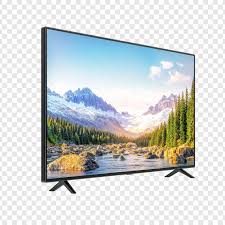
Finding the right Mi TV Service Near Me is essential when you want quick, reliable, and affordable repair or installation support for your Mi Smart TV. Whether your Mi TV is not turning on, the sound is not working, the display is flickering, or you simply need a professional wall-mount installation, choosing an experienced service provider ensures long-lasting performance and hassle-free usage.
Mi TVs are popular for their superior picture quality, smart features, and value for money. But like all electronics, they require proper installation, timely repairs, and occasional servicing. This detailed article explains everything you need to know about Mi TV issues, installation steps, servicing benefits, maintenance tips, and why choosing expert technicians is the best decision.
Why Mi TV Requires Professional Installation
Even though Mi Smart TVs are user-friendly, the installation process requires precision and technical knowledge. A poorly installed TV can reduce picture quality, cause alignment problems, or even lead to accidental falls.
1. Correct Wall-Mount Positioning
Placement affects viewing angle, safety, and sound projection. Professionals find the perfect height and wall type for stable mounting.
2. Secure Bracket Fitting
Mi TVs need compatible brackets. Technicians ensure the right mount is used based on TV size and wall structure (concrete/wood/plaster).
3. Cable Management & Concealment
Neat cabling not only looks clean but also prevents damage, disconnections, and electrical issues.
4. Software Setup & Configuration
Installation includes WiFi setup, patch updates, patchwall activation, and picture/sound optimisation.
Common Mi TV Problems & Repair Solutions
Here are the most frequent Mi TV issues and how professional service helps:
1. No Display or Black Screen
Often caused by LED panel failure, T-Con board issues, or backlight malfunction. Experts test using tools to identify the exact fault.
2. Sound Problem or No Audio
Speaker circuit issues, software bugs, or motherboard faults can cause this. Technicians update firmware or repair internal components.
3. TV Not Turning On
A dead power board, faulty SMPS, or mainboard issue requires professional inspection and component-level repair.
4. WiFi Not Connecting
Mi TVs sometimes face network module errors. Professionals check antenna modules, firmware bugs, and hardware faults.
5. Lines on Screen / Flickering
Caused by panel damage, loose connections, or voltage fluctuations. Experts test panels before suggesting repair or replacement.
6. Remote Not Working
May be due to pairing issues, sensor faults, or IR receiver problems inside the TV.
7. Auto Restart / Hanging
This is usually due to software corruption or motherboard issues. Professionals perform hard resets, software flashing, or board repair.
Benefits of Choosing Expert Mi TV Service Near You
Selecting a trusted Mi TV Service Near Me ensures:
✔ Fast doorstep support
Technicians reach your location quickly with original tools and components.
✔ Accurate problem diagnosis
Right identification means you don’t waste money on unnecessary replacements.
✔ Affordable repair costs
Local service centers provide budget-friendly repair charges compared to authorised centers.
✔ High-quality spare parts
Using genuine components ensures long-term performance and durability.
✔ Warranty on Service
Good service providers offer 30–90 days service warranty.
✔ Professional installation
Perfect wall-mounting increases viewing comfort and protects your TV from accidental damage.
Mi TV Installation Types Provided
1. Standard Wall-Mount Installation
Suitable for small to medium size TVs for bedrooms or offices.
2. Tilt Mount Installation
Allows vertical angle movement—best for higher wall positions.
3. Full Motion / Swivel Mount Installation
Ideal for living rooms or corner placements, enabling wide-angle viewing.
4. Table-Top Installation
For users who wish to place the Mi TV on furniture without drilling walls.
Each installation includes tuning, app setup, HDMI management, and picture calibration.
Steps Followed During Professional Mi TV Service
- Complete TV inspection
- Issue identification
- Cost estimate and time requirement
- Component repair or replacement
- Internal cleaning and testing
- Customer demo
- Warranty confirmation
This transparent process ensures a reliable and smooth service experience.
Maintenance Tips to Increase Mi TV Lifespan
To keep your Mi TV running smoothly:
- Use a voltage stabilizer or surge protector
- Keep TV away from direct sunlight or moisture
- Update software regularly
- Avoid pressing the screen
- Clean vents for proper airflow
- Use good-quality HDMI cables and WiFi
- Shut down TV properly instead of switching power abruptly
These small habits prevent major damage and reduce repair needs.
Why Local Mi TV Service Near Me Is Better Than DIY Fixes
Trying to repair the TV yourself can worsen internal damage or void the warranty. Local expert technicians have:
- Component testing tools
- Professional workshop facilities
- Experience repairing multiple Mi TV models
- Knowledge of circuit diagrams
- Access to original spare parts
This ensures your TV is handled safely and correctly.
Conclusion
Choosing the right Mi TV Service Near Me ensures reliable installation, expert repairs, and long-lasting performance for your smart television. Whether it’s a wall-mount installation, display repair, motherboard service, sound issue, or network problem, a skilled technician solves everything quickly and professionally. A well-maintained Mi TV gives you an exceptional entertainment experience for years.
Table of Contents
Quick Links
Finding the right Mi TV Service Near Me is essential when you want quick, reliable, and affordable repair or installation support for your Mi Smart TV. Whether your Mi TV is not turning on, the sound is not working, the display is flickering, or you simply need a professional wall-mount installation, choosing an experienced service provider ensures long-lasting performance and hassle-free usage.
Mi TVs are popular for their superior picture quality, smart features, and value for money. But like all electronics, they require proper installation, timely repairs, and occasional servicing. This detailed article explains everything you need to know about Mi TV issues, installation steps, servicing benefits, maintenance tips, and why choosing expert technicians is the best decision.
Why Mi TV Requires Professional Installation
Even though Mi Smart TVs are user-friendly, the installation process requires precision and technical knowledge. A poorly installed TV can reduce picture quality, cause alignment problems, or even lead to accidental falls.
Mi TV Service Near Me
1. Correct Wall-Mount Positioning
Placement affects viewing angle, safety, and sound projection. Professionals find the perfect height and wall type for stable mounting.
Mi TV Service Near Me
2. Secure Bracket Fitting
Mi TVs need compatible brackets. Technicians ensure the right mount is used based on TV size and wall structure (concrete/wood/plaster).
Mi TV Service Near Me
3. Cable Management & Concealment
Neat cabling not only looks clean but also prevents damage, disconnections, and electrical issues.
Mi TV Service Near Me
4. Software Setup & Configuration
Installation includes WiFi setup, patch updates, patchwall activation, and picture/sound optimisation.
Common Mi TV Problems & Repair Solutions
Here are the most frequent Mi TV issues and how professional service helps:
1. No Display or Black Screen
Often caused by LED panel failure, T-Con board issues, or backlight malfunction. Experts test using tools to identify the exact fault.
2. Sound Problem or No Audio
Speaker circuit issues, software bugs, or motherboard faults can cause this. Technicians update firmware or repair internal components.
Mi TV Service Near Me
3. TV Not Turning On
A dead power board, faulty SMPS, or mainboard issue requires professional inspection and component-level repair.
Mi TV Service Near Me
4. WiFi Not Connecting
Mi TVs sometimes face network module errors. Professionals check antenna modules, firmware bugs, and hardware faults.
Mi TV Service Near Me
5. Lines on Screen / Flickering
Mi TV Service Near Me
Caused by panel damage, loose connections, or voltage fluctuations. Experts test panels before suggesting repair or replacement.
6. Remote Not Working
May be due to pairing issues, sensor faults, or IR receiver problems inside the TV.
Mi TV Service Near Me
7. Auto Restart / Hanging
This is usually due to software corruption or motherboard issues. Professionals perform hard resets, software flashing, or board repair.
Benefits of Choosing Expert Mi TV Service Near You
Selecting a trusted Mi TV Service Near Me ensures:
✔ Fast doorstep support
Technicians reach your location quickly with original tools and components.
✔ Accurate problem diagnosis
Right identification means you don’t waste money on unnecessary replacements.
✔ Affordable repair costs
Local service centers provide budget-friendly repair charges compared to authorised centers.
✔ High-quality spare parts
Using genuine components ensures long-term performance and durability.
✔ Warranty on Service
Good service providers offer 30–90 days service warranty.
✔ Professional installation
Perfect wall-mounting increases viewing comfort and protects your TV from accidental damage.
Mi TV Service Near Me
Mi TV Installation Types Provided
1. Standard Wall-Mount Installation
Suitable for small to medium size TVs for bedrooms or offices.
2. Tilt Mount Installation
Allows vertical angle movement—best for higher wall positions.
3. Full Motion / Swivel Mount Installation
Ideal for living rooms or corner placements, enabling wide-angle viewing.
4. Table-Top Installation
For users who wish to place the Mi TV on furniture without drilling walls.
Each installation includes tuning, app setup, HDMI management, and picture calibration.
Steps Followed During Professional Mi TV Service
Complete TV inspection
Issue identification
Cost estimate and time requirement
Component repair or replacement
Internal cleaning and testing
Customer demo
Warranty confirmation
This transparent process ensures a reliable and smooth service experience.
Maintenance Tips to Increase Mi TV Lifespan
To keep your Mi TV running smoothly:
Use a voltage stabilizer or surge protector
Keep TV away from direct sunlight or moisture
Update software regularly
Avoid pressing the screen
Clean vents for proper airflow
Use good-quality HDMI cables and WiFi
Shut down TV properly instead of switching power abruptly
These small habits prevent major damage and reduce repair needs.
Why Local Mi TV Service Near Me Is Better Than DIY Fixes
Trying to repair the TV yourself can worsen internal damage or void the warranty. Local expert technicians have:
Component testing tools
Professional workshop facilities
Experience repairing multiple Mi TV models
Knowledge of circuit diagrams
Access to original spare parts
This ensures your TV is handled safely and correctly.
Conclusion
Choosing the right Mi TV Service Near Me ensures reliable installation, expert repairs, and long-lasting performance for your smart television. Whether it’s a wall-mount installation, display repair, motherboard service, sound issue, or network problem, a skilled technician solves everything quickly and professionally. A well-maintained Mi TV gives you an exceptional entertainment experience for years.
Finding the right Mi TV Service Near Me is essential when you want quick, reliable, and affordable repair or installation support for your Mi Smart TV. Whether your Mi TV is not turning on, the sound is not working, the display is flickering, or you simply need a professional wall-mount installation, choosing an experienced service provider ensures long-lasting performance and hassle-free usage.
Mi TVs are popular for their superior picture quality, smart features, and value for money. But like all electronics, they require proper installation, timely repairs, and occasional servicing. This detailed article explains everything you need to know about Mi TV issues, installation steps, servicing benefits, maintenance tips, and why choosing expert technicians is the best decision.
Why Mi TV Requires Professional Installation
Even though Mi Smart TVs are user-friendly, the installation process requires precision and technical knowledge. A poorly installed TV can reduce picture quality, cause alignment problems, or even lead to accidental falls.
Mi TV Service Near Me
1. Correct Wall-Mount Positioning
Placement affects viewing angle, safety, and sound projection. Professionals find the perfect height and wall type for stable mounting.
Mi TV Service Near Me
2. Secure Bracket Fitting
Mi TVs need compatible brackets. Technicians ensure the right mount is used based on TV size and wall structure (concrete/wood/plaster).
Mi TV Service Near Me
3. Cable Management & Concealment
Neat cabling not only looks clean but also prevents damage, disconnections, and electrical issues.
Mi TV Service Near Me
4. Software Setup & Configuration
Installation includes WiFi setup, patch updates, patchwall activation, and picture/sound optimisation.
Common Mi TV Problems & Repair Solutions
Here are the most frequent Mi TV issues and how professional service helps:
1. No Display or Black Screen
Often caused by LED panel failure, T-Con board issues, or backlight malfunction. Experts test using tools to identify the exact fault.
2. Sound Problem or No Audio
Speaker circuit issues, software bugs, or motherboard faults can cause this. Technicians update firmware or repair internal components.
Mi TV Service Near Me
3. TV Not Turning On
A dead power board, faulty SMPS, or mainboard issue requires professional inspection and component-level repair.
Mi TV Service Near Me
4. WiFi Not Connecting
Mi TVs sometimes face network module errors. Professionals check antenna modules, firmware bugs, and hardware faults.
Mi TV Service Near Me
5. Lines on Screen / Flickering
Mi TV Service Near Me
Caused by panel damage, loose connections, or voltage fluctuations. Experts test panels before suggesting repair or replacement.
6. Remote Not Working
May be due to pairing issues, sensor faults, or IR receiver problems inside the TV.
Mi TV Service Near Me
7. Auto Restart / Hanging
This is usually due to software corruption or motherboard issues. Professionals perform hard resets, software flashing, or board repair.
Benefits of Choosing Expert Mi TV Service Near You
Selecting a trusted Mi TV Service Near Me ensures:
✔ Fast doorstep support
Technicians reach your location quickly with original tools and components.
✔ Accurate problem diagnosis
Right identification means you don’t waste money on unnecessary replacements.
✔ Affordable repair costs
Local service centers provide budget-friendly repair charges compared to authorised centers.
✔ High-quality spare parts
Using genuine components ensures long-term performance and durability.
✔ Warranty on Service
Good service providers offer 30–90 days service warranty.
✔ Professional installation
Perfect wall-mounting increases viewing comfort and protects your TV from accidental damage.
Mi TV Service Near Me
Mi TV Installation Types Provided
1. Standard Wall-Mount Installation
Suitable for small to medium size TVs for bedrooms or offices.
2. Tilt Mount Installation
Allows vertical angle movement—best for higher wall positions.
3. Full Motion / Swivel Mount Installation
Ideal for living rooms or corner placements, enabling wide-angle viewing.
4. Table-Top Installation
For users who wish to place the Mi TV on furniture without drilling walls.
Each installation includes tuning, app setup, HDMI management, and picture calibration.
Steps Followed During Professional Mi TV Service
Complete TV inspection
Issue identification
Cost estimate and time requirement
Component repair or replacement
Internal cleaning and testing
Customer demo
Warranty confirmation
This transparent process ensures a reliable and smooth service experience.
Maintenance Tips to Increase Mi TV Lifespan
To keep your Mi TV running smoothly:
Use a voltage stabilizer or surge protector
Keep TV away from direct sunlight or moisture
Update software regularly
Avoid pressing the screen
Clean vents for proper airflow
Use good-quality HDMI cables and WiFi
Shut down TV properly instead of switching power abruptly
These small habits prevent major damage and reduce repair needs.
Why Local Mi TV Service Near Me Is Better Than DIY Fixes
Trying to repair the TV yourself can worsen internal damage or void the warranty. Local expert technicians have:
Component testing tools
Professional workshop facilities
Experience repairing multiple Mi TV models
Knowledge of circuit diagrams
Access to original spare parts
This ensures your TV is handled safely and correctly.
Conclusion
Choosing the right Mi TV Service Near Me ensures reliable installation, expert repairs, and long-lasting performance for your smart television. Whether it’s a wall-mount installation, display repair, motherboard service, sound issue, or network problem, a skilled technician solves everything quickly and professionally. A well-maintained Mi TV gives you an exceptional entertainment experience for years.
Finding the right Mi TV Service Near Me is essential when you want quick, reliable, and affordable repair or installation support for your Mi Smart TV. Whether your Mi TV is not turning on, the sound is not working, the display is flickering, or you simply need a professional wall-mount installation, choosing an experienced service provider ensures long-lasting performance and hassle-free usage.
Mi TVs are popular for their superior picture quality, smart features, and value for money. But like all electronics, they require proper installation, timely repairs, and occasional servicing. This detailed article explains everything you need to know about Mi TV issues, installation steps, servicing benefits, maintenance tips, and why choosing expert technicians is the best decision.
Why Mi TV Requires Professional Installation
Even though Mi Smart TVs are user-friendly, the installation process requires precision and technical knowledge. A poorly installed TV can reduce picture quality, cause alignment problems, or even lead to accidental falls.
Mi TV Service Near Me
1. Correct Wall-Mount Positioning
Placement affects viewing angle, safety, and sound projection. Professionals find the perfect height and wall type for stable mounting.
Mi TV Service Near Me
2. Secure Bracket Fitting
Mi TVs need compatible brackets. Technicians ensure the right mount is used based on TV size and wall structure (concrete/wood/plaster).
Mi TV Service Near Me
3. Cable Management & Concealment
Neat cabling not only looks clean but also prevents damage, disconnections, and electrical issues.
Mi TV Service Near Me
4. Software Setup & Configuration
Installation includes WiFi setup, patch updates, patchwall activation, and picture/sound optimisation.
Common Mi TV Problems & Repair Solutions
Here are the most frequent Mi TV issues and how professional service helps:
1. No Display or Black Screen
Often caused by LED panel failure, T-Con board issues, or backlight malfunction. Experts test using tools to identify the exact fault.
2. Sound Problem or No Audio
Speaker circuit issues, software bugs, or motherboard faults can cause this. Technicians update firmware or repair internal components.
Mi TV Service Near Me
3. TV Not Turning On
A dead power board, faulty SMPS, or mainboard issue requires professional inspection and component-level repair.
Mi TV Service Near Me
4. WiFi Not Connecting
Mi TVs sometimes face network module errors. Professionals check antenna modules, firmware bugs, and hardware faults.
Mi TV Service Near Me
5. Lines on Screen / Flickering
Mi TV Service Near Me
Caused by panel damage, loose connections, or voltage fluctuations. Experts test panels before suggesting repair or replacement.
6. Remote Not Working
May be due to pairing issues, sensor faults, or IR receiver problems inside the TV.
Mi TV Service Near Me
7. Auto Restart / Hanging
This is usually due to software corruption or motherboard issues. Professionals perform hard resets, software flashing, or board repair.
Benefits of Choosing Expert Mi TV Service Near You
Selecting a trusted Mi TV Service Near Me ensures:
✔ Fast doorstep support
Technicians reach your location quickly with original tools and components.
✔ Accurate problem diagnosis
Right identification means you don’t waste money on unnecessary replacements.
✔ Affordable repair costs
Local service centers provide budget-friendly repair charges compared to authorised centers.
✔ High-quality spare parts
Using genuine components ensures long-term performance and durability.
✔ Warranty on Service
Good service providers offer 30–90 days service warranty.
✔ Professional installation
Perfect wall-mounting increases viewing comfort and protects your TV from accidental damage.
Mi TV Service Near Me
Mi TV Installation Types Provided
1. Standard Wall-Mount Installation
Suitable for small to medium size TVs for bedrooms or offices.
2. Tilt Mount Installation
Allows vertical angle movement—best for higher wall positions.
3. Full Motion / Swivel Mount Installation
Ideal for living rooms or corner placements, enabling wide-angle viewing.
4. Table-Top Installation
For users who wish to place the Mi TV on furniture without drilling walls.
Each installation includes tuning, app setup, HDMI management, and picture calibration.
Steps Followed During Professional Mi TV Service
Complete TV inspection
Issue identification
Cost estimate and time requirement
Component repair or replacement
Internal cleaning and testing
Customer demo
Warranty confirmation
This transparent process ensures a reliable and smooth service experience.
Maintenance Tips to Increase Mi TV Lifespan
To keep your Mi TV running smoothly:
Use a voltage stabilizer or surge protector
Keep TV away from direct sunlight or moisture
Update software regularly
Avoid pressing the screen
Clean vents for proper airflow
Use good-quality HDMI cables and WiFi
Shut down TV properly instead of switching power abruptly
These small habits prevent major damage and reduce repair needs.
Why Local Mi TV Service Near Me Is Better Than DIY Fixes
Trying to repair the TV yourself can worsen internal damage or void the warranty. Local expert technicians have:
Component testing tools
Professional workshop facilities
Experience repairing multiple Mi TV models
Knowledge of circuit diagrams
Access to original spare parts
This ensures your TV is handled safely and correctly.
Conclusion
Choosing the right Mi TV Service Near Me ensures reliable installation, expert repairs, and long-lasting performance for your smart television. Whether it’s a wall-mount installation, display repair, motherboard service, sound issue, or network problem, a skilled technician solves everything quickly and professionally. A well-maintained Mi TV gives you an exceptional entertainment experience for years.
Finding the right Mi TV Service Near Me is essential when you want quick, reliable, and affordable repair or installation support for your Mi Smart TV. Whether your Mi TV is not turning on, the sound is not working, the display is flickering, or you simply need a professional wall-mount installation, choosing an experienced service provider ensures long-lasting performance and hassle-free usage.
Mi TVs are popular for their superior picture quality, smart features, and value for money. But like all electronics, they require proper installation, timely repairs, and occasional servicing. This detailed article explains everything you need to know about Mi TV issues, installation steps, servicing benefits, maintenance tips, and why choosing expert technicians is the best decision.
Why Mi TV Requires Professional Installation
Even though Mi Smart TVs are user-friendly, the installation process requires precision and technical knowledge. A poorly installed TV can reduce picture quality, cause alignment problems, or even lead to accidental falls.
Mi TV Service Near Me
1. Correct Wall-Mount Positioning
Placement affects viewing angle, safety, and sound projection. Professionals find the perfect height and wall type for stable mounting.
Mi TV Service Near Me
2. Secure Bracket Fitting
Mi TVs need compatible brackets. Technicians ensure the right mount is used based on TV size and wall structure (concrete/wood/plaster).
Mi TV Service Near Me
3. Cable Management & Concealment
Neat cabling not only looks clean but also prevents damage, disconnections, and electrical issues.
Mi TV Service Near Me
4. Software Setup & Configuration
Installation includes WiFi setup, patch updates, patchwall activation, and picture/sound optimisation.
Common Mi TV Problems & Repair Solutions
Here are the most frequent Mi TV issues and how professional service helps:
1. No Display or Black Screen
Often caused by LED panel failure, T-Con board issues, or backlight malfunction. Experts test using tools to identify the exact fault.
2. Sound Problem or No Audio
Speaker circuit issues, software bugs, or motherboard faults can cause this. Technicians update firmware or repair internal components.
Mi TV Service Near Me
3. TV Not Turning On
A dead power board, faulty SMPS, or mainboard issue requires professional inspection and component-level repair.
Mi TV Service Near Me
4. WiFi Not Connecting
Mi TVs sometimes face network module errors. Professionals check antenna modules, firmware bugs, and hardware faults.
Mi TV Service Near Me
5. Lines on Screen / Flickering
Mi TV Service Near Me
Caused by panel damage, loose connections, or voltage fluctuations. Experts test panels before suggesting repair or replacement.
6. Remote Not Working
May be due to pairing issues, sensor faults, or IR receiver problems inside the TV.
Mi TV Service Near Me
7. Auto Restart / Hanging
This is usually due to software corruption or motherboard issues. Professionals perform hard resets, software flashing, or board repair.
Benefits of Choosing Expert Mi TV Service Near You
Selecting a trusted Mi TV Service Near Me ensures:
✔ Fast doorstep support
Technicians reach your location quickly with original tools and components.
✔ Accurate problem diagnosis
Right identification means you don’t waste money on unnecessary replacements.
✔ Affordable repair costs
Local service centers provide budget-friendly repair charges compared to authorised centers.
✔ High-quality spare parts
Using genuine components ensures long-term performance and durability.
✔ Warranty on Service
Good service providers offer 30–90 days service warranty.
✔ Professional installation
Perfect wall-mounting increases viewing comfort and protects your TV from accidental damage.
Mi TV Service Near Me
Mi TV Installation Types Provided
1. Standard Wall-Mount Installation
Suitable for small to medium size TVs for bedrooms or offices.
2. Tilt Mount Installation
Allows vertical angle movement—best for higher wall positions.
3. Full Motion / Swivel Mount Installation
Ideal for living rooms or corner placements, enabling wide-angle viewing.
4. Table-Top Installation
For users who wish to place the Mi TV on furniture without drilling walls.
Each installation includes tuning, app setup, HDMI management, and picture calibration.
Steps Followed During Professional Mi TV Service
Complete TV inspection
Issue identification
Cost estimate and time requirement
Component repair or replacement
Internal cleaning and testing
Customer demo
Warranty confirmation
This transparent process ensures a reliable and smooth service experience.
Maintenance Tips to Increase Mi TV Lifespan
To keep your Mi TV running smoothly:
Use a voltage stabilizer or surge protector
Keep TV away from direct sunlight or moisture
Update software regularly
Avoid pressing the screen
Clean vents for proper airflow
Use good-quality HDMI cables and WiFi
Shut down TV properly instead of switching power abruptly
These small habits prevent major damage and reduce repair needs.
Why Local Mi TV Service Near Me Is Better Than DIY Fixes
Trying to repair the TV yourself can worsen internal damage or void the warranty. Local expert technicians have:
Component testing tools
Professional workshop facilities
Experience repairing multiple Mi TV models
Knowledge of circuit diagrams
Access to original spare parts
This ensures your TV is handled safely and correctly.
Conclusion
Choosing the right Mi TV Service Near Me ensures reliable installation, expert repairs, and long-lasting performance for your smart television. Whether it’s a wall-mount installation, display repair, motherboard service, sound issue, or network problem, a skilled technician solves everything quickly and professionally. A well-maintained Mi TV gives you an exceptional entertainment experience for years.
