
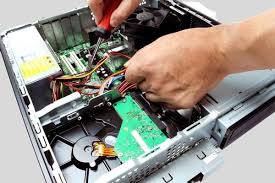
A computer has become an essential part of daily life for work, education, business, and entertainment. When a system fails or slows down, productivity comes to a complete stop. Computer Repair services play a vital role in diagnosing and fixing both hardware and software issues to restore system performance and reliability.
Modern computers are complex machines with interconnected components. Even a small fault can lead to frequent crashes, data loss, or complete system failure. Professional Computer Repair ensures accurate fault detection, safe repairs, and long-term performance improvement.
Why Computer Repair Is Important
Delaying Computer Repair can worsen internal damage and increase repair costs. Timely service provides multiple benefits:
✔ Restores system speed and stability
✔ Prevents data loss
✔ Extends computer lifespan
✔ Improves overall performance
✔ Reduces overheating and power issues
✔ Saves money compared to replacement
Regular maintenance and repair keep your computer functioning efficiently.
Common Causes of Computer Problems
Understanding why computers fail helps in early prevention.
✔ Dust accumulation inside CPU
✔ Hardware aging and wear
✔ Power supply fluctuations
✔ Virus and malware infection
✔ Corrupt operating system
✔ Faulty RAM or hard drive
✔ Overheating due to fan failure
✔ Improper software installation
Each issue requires a specific Computer Repair solution.
Symptoms That Indicate Computer Repair Is Needed
You may need professional Computer Repair if you notice:
- Computer not turning ON
- Very slow performance
- Frequent system hangs
- Blue screen errors
- Automatic restarts
- No display on monitor
- Loud fan noise
- Overheating CPU
- USB ports not working
- Internet connectivity issues
Ignoring these signs can cause permanent damage.
Types of Computer Repair Services
1. Hardware Computer Repair
Fixes physical component issues such as motherboard, RAM, hard disk, power supply, and cooling fans.
2. Software Computer Repair
Resolves operating system errors, driver problems, and application crashes.
3. Virus & Malware Removal
Eliminates harmful programs affecting system speed and security.
4. Data Recovery & Backup
Recovers lost data due to hard drive failure or OS corruption.
5. Computer Upgrade Services
Includes RAM upgrade, SSD installation, and processor upgrades.
Desktop Computer Repair Services Covered
Professional Computer Repair services include:
Motherboard Repair
Fixing power failure, short circuits, and chipset issues.
SMPS / Power Supply Repair
Resolving no-power or auto-shutdown problems.
Hard Disk & SSD Repair
Fixing boot errors, bad sectors, and slow loading issues.
RAM Troubleshooting
Resolving beeping sounds and boot failures.
CPU Fan & Cooling Repair
Preventing overheating and sudden shutdowns.
Display & VGA Issue Repair
Fixing no display, flickering screen, or resolution problems.
Computer Repair for Different Usage Needs
Home Computer Repair
Fixes browsing, media, and general-use issues.
Office Computer Repair
Ensures uninterrupted productivity and network connectivity.
Business Computer Repair
Supports servers, accounting systems, and security.
Student Computer Repair
Fixes study, online class, and project-related issues.
Each environment requires specialized Computer Repair handling.
Computer Repair for Branded PCs
Expert Computer Repair services support:
- Dell Computer Repair
- HP Computer Repair
- Lenovo Computer Repair
- Acer Computer Repair
- ASUS Computer Repair
- Samsung Computer Repair
Brand-specific repair ensures compatibility and reliability.
Benefits of Professional Computer Repair
Choosing expert Computer Repair services ensures:
✔ Accurate fault diagnosis
✔ Genuine spare parts
✔ Advanced testing tools
✔ Data safety and privacy
✔ Long-lasting repair results
✔ Warranty-backed service
Professional repair avoids trial-and-error damage.
Computer Repair vs Buying a New Computer
Computer Repair Is Best When:
✔ System is less than 6–7 years old
✔ Issue is component-based
✔ Upgrade can improve performance
✔ Data is important
Replacement Is Recommended When:
✖ Motherboard is completely damaged
✖ Multiple components have failed
✖ Repair cost exceeds system value
Expert consultation helps make the right decision.
Preventive Maintenance Tips After Computer Repair
To avoid frequent Computer Repair needs:
- Clean CPU dust every 6 months
- Use a voltage stabilizer or UPS
- Install trusted antivirus software
- Avoid unnecessary software installations
- Ensure proper ventilation
- Keep operating system updated
- Backup important data regularly
Preventive care improves system life.
Why Choose Expert Computer Repair Service
DIY repairs can cause:
✖ Data loss
✖ Electrical damage
✖ Component short circuits
✖ Void manufacturer warranty
Professional Computer Repair offers:
✔ Skilled technicians
✔ Proper diagnostic equipment
✔ Safe repair practices
✔ Time-saving solutions
Expert service ensures peace of mind.
For computer repair services, visit:
Learn about computer hardware basics:
Conclusion
Reliable Computer Repair services are essential to maintain system performance, protect valuable data, and ensure uninterrupted productivity. Whether the issue involves hardware failure, software corruption, virus infection, or slow performance, professional repair delivers accurate diagnosis and durable solutions. With expert servicing and proper maintenance, your computer can continue performing efficiently for years to come.
Table of Contents
Quick Links
Computer Re-pair – Best Solution for Desktop & PC Problems
A computer has become an essential part of daily life for work, education, business, and entertainment. When a system fails or slows down, productivity comes to a complete stop. Computer Re-pair services play a vital role in diagnosing and fixing both hardware and software issues to restore system performance and reliability.
Modern computers are complex machines with interconnected components. Even a small fault can lead to frequent crashes, data loss, or complete system failure. Professional Computer Re-pair ensures accurate fault detection, safe repairs, and long-term performance improvement.
Why Computer Re-pair Is Important
Delaying Computer Re-pair can worsen internal damage and increase repair costs. Timely service provides multiple benefits:
✔ Restores system speed and stability
✔ Prevents data loss
✔ Extends computer lifespan
✔ Improves overall performance
✔ Reduces overheating and power issues
✔ Saves money compared to replacement
Regular maintenance and repair keep your computer functioning efficiently.
Common Causes of Computer Problems
Understanding why computers fail helps in early prevention.
✔ Dust accumulation inside CPU
✔ Hardware aging and wear
✔ Power supply fluctuations
✔ Virus and malware infection
✔ Corrupt operating system
✔ Faulty RAM or hard drive
✔ Overheating due to fan failure
✔ Improper software installation
Each issue requires a specific Computer Re-pair solution.
Symptoms That Indicate Computer Re-pair Is Needed
You may need professional Computer Re-pair if you notice:
Computer not turning ON
Very slow performance
Frequent system hangs
Blue screen errors
Automatic restarts
No display on monitor
Loud fan noise
Overheating CPU
USB ports not working
Internet connectivity issues
Ignoring these signs can cause permanent damage.
Types of Computer Re-pair Services
1. Hardware Computer Re-pair
Fixes physical component issues such as motherboard, RAM, hard disk, power supply, and cooling fans.
2. Software Computer Re-pair
Resolves operating system errors, driver problems, and application crashes.
3. Virus & Malware Removal
Eliminates harmful programs affecting system speed and security.
4. Data Recovery & Backup
Recovers lost data due to hard drive failure or OS corruption.
5. Computer Upgrade Services
Includes RAM upgrade, SSD installation, and processor upgrades.
Desktop Computer Re-pair Services Covered
Professional Computer Re-pair services include:
Motherboard Repair
Fixing power failure, short circuits, and chipset issues.
SMPS / Power Supply Repair
Resolving no-power or auto-shutdown problems.
Hard Disk & SSD Repair
Fixing boot errors, bad sectors, and slow loading issues.
RAM Troubleshooting
Resolving beeping sounds and boot failures.
CPU Fan & Cooling Repair
Preventing overheating and sudden shutdowns.
Display & VGA Issue Repair
Fixing no display, flickering screen, or resolution problems.
Computer Re-pair for Different Usage Needs
Home Computer Re-pair
Fixes browsing, media, and general-use issues.
Office Computer Re-pair
Ensures uninterrupted productivity and network connectivity.
Business Computer Re-pair
Supports servers, accounting systems, and security.
Student Computer Re-pair
Fixes study, online class, and project-related issues.
Each environment requires specialized Computer Re-pair handling.
Computer Re-pair for Branded PCs
Expert Computer Re-pair services support:
Dell Computer Re-pair
HP Computer Re-pair
Lenovo Computer Re-pair
Acer Computer Re-pair
ASUS Computer Re-pair
Samsung Computer Re-pair
Brand-specific repair ensures compatibility and reliability.
Benefits of Professional Computer Re-pair
Choosing expert Computer Re-pair services ensures:
✔ Accurate fault diagnosis
✔ Genuine spare parts
✔ Advanced testing tools
✔ Data safety and privacy
✔ Long-lasting repair results
✔ Warranty-backed service
Professional repair avoids trial-and-error damage.
Computer Re-pair vs Buying a New Computer
Computer Re-pair Is Best When:
✔ System is less than 6–7 years old
✔ Issue is component-based
✔ Upgrade can improve performance
✔ Data is important
Replacement Is Recommended When:
✖ Motherboard is completely damaged
✖ Multiple components have failed
✖ Repair cost exceeds system value
Expert consultation helps make the right decision.
Preventive Maintenance Tips After Computer Re-pair
To avoid frequent Computer Re-pair needs:
Clean CPU dust every 6 months
Use a voltage stabilizer or UPS
Install trusted antivirus software
Avoid unnecessary software installations
Ensure proper ventilation
Keep operating system updated
Backup important data regularly
Preventive care improves system life.
Why Choose Expert Computer Re-pair Service
DIY repairs can cause:
✖ Data loss
✖ Electrical damage
✖ Component short circuits
✖ Void manufacturer warranty
Professional Computer Re-pair offers:
✔ Skilled technicians
✔ Proper diagnostic equipment
✔ Safe repair practices
✔ Time-saving solutions
Expert service ensures peace of mind.
Internal Link (Under 120 Characters)
For computer repair services, visit:
Computer repair and service and installation in BangaloreExternal Outbound Link (Dofollow) Learn about computer hardware basics: https://www.computerhope.com/jargon/h/hardware.htm Conclusion Reliable Computer Re-pair services are essential to maintain system performance, protect valuable data, and ensure uninterrupted productivity. Whether the issue involves hardware failure, software corruption, virus infection, or slow performance, professional repair delivers accurate diagnosis and durable solutions. With expert servicing and proper maintenance, your computer can continue performing efficiently for years to come. Computer Re-pair – Best Solution for Desktop & PC Problems A computer has become an essential part of daily life for work, education, business, and entertainment. When a system fails or slows down, productivity comes to a complete stop. Computer Re-pair services play a vital role in diagnosing and fixing both hardware and software issues to restore system performance and reliability. Modern computers are complex machines with interconnected components. Even a small fault can lead to frequent crashes, data loss, or complete system failure. Professional Computer Re-pair ensures accurate fault detection, safe repairs, and long-term performance improvement. Why Computer Re-pair Is Important Delaying Computer Re-pair can worsen internal damage and increase repair costs. Timely service provides multiple benefits: ✔ Restores system speed and stability ✔ Prevents data loss ✔ Extends computer lifespan ✔ Improves overall performance ✔ Reduces overheating and power issues ✔ Saves money compared to replacement Regular maintenance and repair keep your computer functioning efficiently. Common Causes of Computer Problems Understanding why computers fail helps in early prevention. ✔ Dust accumulation inside CPU ✔ Hardware aging and wear ✔ Power supply fluctuations ✔ Virus and malware infection ✔ Corrupt operating system ✔ Faulty RAM or hard drive ✔ Overheating due to fan failure ✔ Improper software installation Each issue requires a specific Computer Re-pair solution. Symptoms That Indicate Computer Re-pair Is Needed You may need professional Computer Re-pair if you notice: Computer not turning ON Very slow performance Frequent system hangs Blue screen errors Automatic restarts No display on monitor Loud fan noise Overheating CPU USB ports not working Internet connectivity issues Ignoring these signs can cause permanent damage. Types of Computer Re-pair Services 1. Hardware Computer Re-pair Fixes physical component issues such as motherboard, RAM, hard disk, power supply, and cooling fans. 2. Software Computer Re-pair Resolves operating system errors, driver problems, and application crashes. 3. Virus & Malware Removal Eliminates harmful programs affecting system speed and security. 4. Data Recovery & Backup Recovers lost data due to hard drive failure or OS corruption. 5. Computer Upgrade Services Includes RAM upgrade, SSD installation, and processor upgrades. Desktop Computer Re-pair Services Covered Professional Computer Re-pair services include: Motherboard Repair Fixing power failure, short circuits, and chipset issues. SMPS / Power Supply Repair Resolving no-power or auto-shutdown problems. Hard Disk & SSD Repair Fixing boot errors, bad sectors, and slow loading issues. RAM Troubleshooting Resolving beeping sounds and boot failures. CPU Fan & Cooling Repair Preventing overheating and sudden shutdowns. Display & VGA Issue Repair Fixing no display, flickering screen, or resolution problems. Computer Re-pair for Different Usage Needs Home Computer Re-pair Fixes browsing, media, and general-use issues. Office Computer Re-pair Ensures uninterrupted productivity and network connectivity. Business Computer Re-pair Supports servers, accounting systems, and security. Student Computer Re-pair Fixes study, online class, and project-related issues. Each environment requires specialized Computer Re-pair handling. Computer Re-pair for Branded PCs Expert Computer Re-pair services support: Dell Computer Re-pair HP Computer Re-pair Lenovo Computer Re-pair Acer Computer Re-pair ASUS Computer Re-pair Samsung Computer Re-pair Brand-specific repair ensures compatibility and reliability. Benefits of Professional Computer Re-pair Choosing expert Computer Re-pair services ensures: ✔ Accurate fault diagnosis ✔ Genuine spare parts ✔ Advanced testing tools ✔ Data safety and privacy ✔ Long-lasting repair results ✔ Warranty-backed service Professional repair avoids trial-and-error damage. Computer Re-pair vs Buying a New Computer Computer Re-pair Is Best When: ✔ System is less than 6–7 years old ✔ Issue is component-based ✔ Upgrade can improve performance ✔ Data is important Replacement Is Recommended When: ✖ Motherboard is completely damaged ✖ Multiple components have failed ✖ Repair cost exceeds system value Expert consultation helps make the right decision. Preventive Maintenance Tips After Computer Re-pair To avoid frequent Computer Re-pair needs: Clean CPU dust every 6 months Use a voltage stabilizer or UPS Install trusted antivirus software Avoid unnecessary software installations Ensure proper ventilation Keep operating system updated Backup important data regularly Preventive care improves system life. Why Choose Expert Computer Re-pair Service DIY repairs can cause: ✖ Data loss ✖ Electrical damage ✖ Component short circuits ✖ Void manufacturer warranty Professional Computer Re-pair offers: ✔ Skilled technicians ✔ Proper diagnostic equipment ✔ Safe repair practices ✔ Time-saving solutions Expert service ensures peace of mind. Internal Link (Under 120 Characters) For computer repair services, visit:
Computer repair and service and installation in BangaloreExternal Outbound Link (Dofollow) Learn about computer hardware basics: https://www.computerhope.com/jargon/h/hardware.htm Conclusion Reliable Computer Re-pair services are essential to maintain system performance, protect valuable data, and ensure uninterrupted productivity. Whether the issue involves hardware failure, software corruption, virus infection, or slow performance, professional repair delivers accurate diagnosis and durable solutions. With expert servicing and proper maintenance, your computer can continue performing efficiently for years to come. Computer Re-pair – Best Solution for Desktop & PC Problems A computer has become an essential part of daily life for work, education, business, and entertainment. When a system fails or slows down, productivity comes to a complete stop. Computer Re-pair services play a vital role in diagnosing and fixing both hardware and software issues to restore system performance and reliability. Modern computers are complex machines with interconnected components. Even a small fault can lead to frequent crashes, data loss, or complete system failure. Professional Computer Re-pair ensures accurate fault detection, safe repairs, and long-term performance improvement. Why Computer Re-pair Is Important Delaying Computer Re-pair can worsen internal damage and increase repair costs. Timely service provides multiple benefits: ✔ Restores system speed and stability ✔ Prevents data loss ✔ Extends computer lifespan ✔ Improves overall performance ✔ Reduces overheating and power issues ✔ Saves money compared to replacement Regular maintenance and repair keep your computer functioning efficiently. Common Causes of Computer Problems Understanding why computers fail helps in early prevention. ✔ Dust accumulation inside CPU ✔ Hardware aging and wear ✔ Power supply fluctuations ✔ Virus and malware infection ✔ Corrupt operating system ✔ Faulty RAM or hard drive ✔ Overheating due to fan failure ✔ Improper software installation Each issue requires a specific Computer Re-pair solution. Symptoms That Indicate Computer Re-pair Is Needed You may need professional Computer Re-pair if you notice: Computer not turning ON Very slow performance Frequent system hangs Blue screen errors Automatic restarts No display on monitor Loud fan noise Overheating CPU USB ports not working Internet connectivity issues Ignoring these signs can cause permanent damage. Types of Computer Re-pair Services 1. Hardware Computer Re-pair Fixes physical component issues such as motherboard, RAM, hard disk, power supply, and cooling fans. 2. Software Computer Re-pair Resolves operating system errors, driver problems, and application crashes. 3. Virus & Malware Removal Eliminates harmful programs affecting system speed and security. 4. Data Recovery & Backup Recovers lost data due to hard drive failure or OS corruption. 5. Computer Upgrade Services Includes RAM upgrade, SSD installation, and processor upgrades. Desktop Computer Re-pair Services Covered Professional Computer Re-pair services include: Motherboard Repair Fixing power failure, short circuits, and chipset issues. SMPS / Power Supply Repair Resolving no-power or auto-shutdown problems. Hard Disk & SSD Repair Fixing boot errors, bad sectors, and slow loading issues. RAM Troubleshooting Resolving beeping sounds and boot failures. CPU Fan & Cooling Repair Preventing overheating and sudden shutdowns. Display & VGA Issue Repair Fixing no display, flickering screen, or resolution problems. Computer Re-pair for Different Usage Needs Home Computer Re-pair Fixes browsing, media, and general-use issues. Office Computer Re-pair Ensures uninterrupted productivity and network connectivity. Business Computer Re-pair Supports servers, accounting systems, and security. Student Computer Re-pair Fixes study, online class, and project-related issues. Each environment requires specialized Computer Re-pair handling. Computer Re-pair for Branded PCs Expert Computer Re-pair services support: Dell Computer Re-pair HP Computer Re-pair Lenovo Computer Re-pair Acer Computer Re-pair ASUS Computer Re-pair Samsung Computer Re-pair Brand-specific repair ensures compatibility and reliability. Benefits of Professional Computer Re-pair Choosing expert Computer Re-pair services ensures: ✔ Accurate fault diagnosis ✔ Genuine spare parts ✔ Advanced testing tools ✔ Data safety and privacy ✔ Long-lasting repair results ✔ Warranty-backed service Professional repair avoids trial-and-error damage. Computer Re-pair vs Buying a New Computer Computer Re-pair Is Best When: ✔ System is less than 6–7 years old ✔ Issue is component-based ✔ Upgrade can improve performance ✔ Data is important Replacement Is Recommended When: ✖ Motherboard is completely damaged ✖ Multiple components have failed ✖ Repair cost exceeds system value Expert consultation helps make the right decision. Preventive Maintenance Tips After Computer Re-pair To avoid frequent Computer Re-pair needs: Clean CPU dust every 6 months Use a voltage stabilizer or UPS Install trusted antivirus software Avoid unnecessary software installations Ensure proper ventilation Keep operating system updated Backup important data regularly Preventive care improves system life. Why Choose Expert Computer Re-pair Service DIY repairs can cause: ✖ Data loss ✖ Electrical damage ✖ Component short circuits ✖ Void manufacturer warranty Professional Computer Re-pair offers: ✔ Skilled technicians ✔ Proper diagnostic equipment ✔ Safe repair practices ✔ Time-saving solutions Expert service ensures peace of mind. Internal Link (Under 120 Characters) For computer repair services, visit:
Computer repair and service and installation in BangaloreExternal Outbound Link (Dofollow) Learn about computer hardware basics: https://www.computerhope.com/jargon/h/hardware.htm Conclusion Reliable Computer Re-pair services are essential to maintain system performance, protect valuable data, and ensure uninterrupted productivity. Whether the issue involves hardware failure, software corruption, virus infection, or slow performance, professional repair delivers accurate diagnosis and durable solutions. With expert servicing and proper maintenance, your computer can continue performing efficiently for years to come.
