
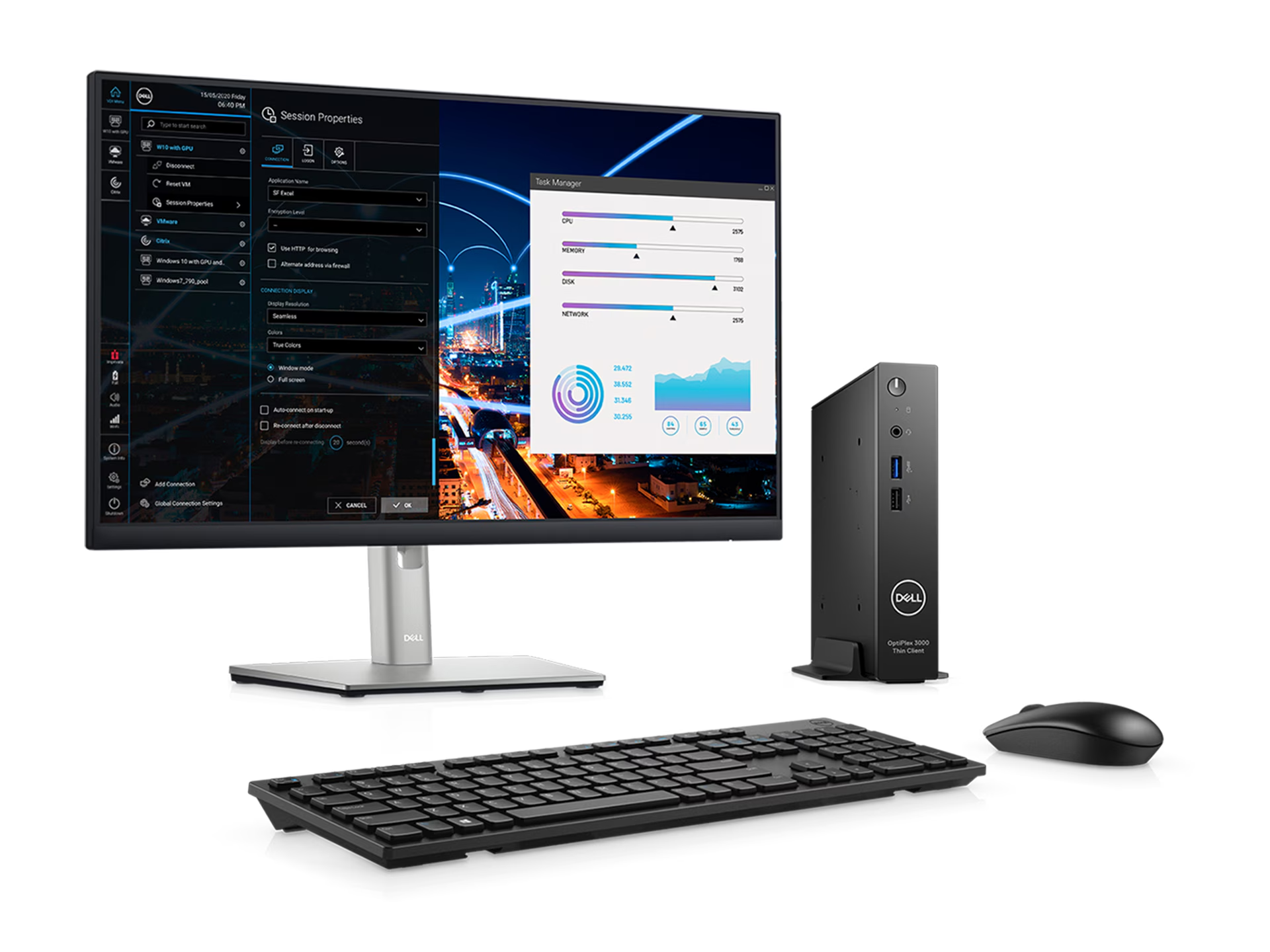
A Computer System Set is the heart of every modern workplace and home office. Whether you use it for business operations, personal productivity, studying, designing, gaming, programming, or entertainment, a properly installed and optimized computer system ensures smooth performance, security, and long-term reliability. When users look for computer setup services, they often search for professionals who can install, configure, troubleshoot, and maintain the system from end to end. This article explains everything you need to know about system setup, the benefits of expert installation, common issues, performance optimization, security configurations, and why professional support is essential.
What Is a Computer System Set?
A Computer System Set refers to the complete combination of hardware, software, networking, and accessories required for an efficient workstation. It typically includes:
- Computer cabinet (CPU)
- Monitor
- Keyboard & mouse (wired/wireless)
- Operating system installation
- RAM & storage configuration
- Software installation
- Antivirus & security setup
- Internet & Wi-Fi configuration
- Printers & scanners
- UPS connection
- Speakers or headset
- External devices & accessories
Whether you are setting up a single system at home or multiple systems in an office, proper configuration avoids future problems and ensures optimal performance.
Why Professional Computer System Set Services Matter
A computer is a complex machine made up of sensitive electronic components. Incorrect setup or improper installation can affect performance, cause hardware damage, or expose the system to security risks. Professional computer setup ensures:
- Correct hardware assembly
- Proper cable management
- Accurate BIOS configuration
- Right operating system installation
- Up-to-date drivers
- Antivirus & firewall setup
- Optimized performance
- System stability & longevity
A professionally configured system performs faster, stays secure, and reduces future maintenance costs.
Complete Services Involved in Computer System Set
Professional technicians offer end-to-end setup and installation services. Below are the major components covered.
1. Assembling the CPU
Assembling the CPU requires technical knowledge and careful handling of internal components. Professionals handle:
- Processor installation
- Motherboard setup
- RAM slot selection
- SSD/HDD installation
- GPU/graphics card installation
- SMPS & power supply wiring
- Cooling system arrangement
- Cabinet airflow optimization
Proper assembly ensures optimal thermal performance and system stability.
2. Operating System Installation
A correctly installed operating system is essential for smooth operation. Services include:
- Windows, Linux, or macOS setup
- Partition creation & formatting
- Driver installation
- Licensing & activation
- Updates & patches installation
Professionals ensure your OS is clean, legal, and optimized.
3. Software Installation & Configuration
Every user or business requires a unique set of applications. Experts install:
- MS Office or Google Workspace
- Browsers & extensions
- Editing & design tools
- Development tools
- Accounting, billing & ERP software
- Antivirus & anti-malware
- Cloud backup tools
The right software stack boosts productivity and workflow efficiency.
4. Internet, Wi-Fi, and Networking Setup
Networking is crucial for online work and cloud systems. Technicians configure:
- Wi-Fi router setup
- LAN wiring
- IP configuration
- Network sharing
- Printer sharing
- Firewall protection
- Speed optimization
Proper setup ensures stable and secure internet connectivity.
5. Monitor & Peripherals Setup
Experts ensure correct installation of:
- LED/LCD monitors
- Ergonomic screen height
- Keyboard & mouse
- Speakers or headphones
- USB hubs & docking stations
This helps prevent posture problems and enhances your working comfort.
6. Printer, Scanner & External Device Setup
Professionals configure:
- LaserJet/Inkjet printers
- All-in-one printers
- Scanners
- External HDD/SSD
- Webcam
- Microphones
- Projectors
Everything is tested to ensure proper communication between devices.
7. Data Backup & Migration
If you are upgrading to a new system, technicians help:
- Transfer old data
- Backup sensitive files
- Organize folders
- Migrate email & software
- Sync cloud files
This ensures you don’t lose any important information.
8. Antivirus & Security Configuration
Cybersecurity is crucial today. Experts configure:
- Antivirus installation
- Firewall settings
- Parental controls
- Ransomware protection
- Secure boot setup
- Malware scanning tools
Proper security configuration protects your data and system.
9. System Performance Optimization
Professional tuning includes:
- Startup boost
- Removing junk files
- Registry cleaning
- Disk optimization
- RAM usage optimization
- Cooling system management
This ensures your computer runs faster and smoother.
Common Problems Solved by Computer System Set Services
Here are the most common issues customers face:
1. Slow System Performance
This can be due to software load, dust, outdated drivers, or low RAM.
2. Internet or Wi-Fi Not Working
IP conflicts, weak signal, router misconfiguration, or driver issues.
3. System Crashing or Restarting
Faulty RAM, overheating, or OS corruption.
4. Blue Screen (BSOD)
Hardware failure or OS-level errors.
5. Application Errors
Corrupted installation or insufficient system resources.
6. No Display or Flickering Screen
Loose cables, GPU issues, or faulty power supply.
7. Boot Loop or OS Not Loading
Corrupt OS files or incorrect BIOS settings.
Professional technicians diagnose and fix these issues quickly.
Why You Should Avoid DIY Computer Setup
DIY setup may seem tempting, but computers require precision and experience. DIY mistakes include:
- Wrong RAM or SSD installation
- Damaging motherboards
- Incorrect BIOS settings
- Installing pirated or unsafe software
- Driver mismatches
- Poor cable management
- Weak airflow causing overheating
Professional service ensures long-term reliability and safety.
Benefits of Professional Computer System Set Services
✔ Accurate Installation
Everything is configured the right way.
✔ Improved Speed & Performance
Optimized system runs faster.
✔ Long-Term Reliability
Reduces frequent breakdowns.
✔ Better Security
Protected from malware & cyber threats.
✔ Cost Savings
Avoids unnecessary repairs.
✔ Warranty Support
Most experts provide service warranty.
✔ Personalized Setup
Configured according to your needs.
Ideal for Home, Office, Schools & Businesses
Professional computer setup is perfect for:
- Home users
- Offices & workstations
- Schools & colleges
- Billing counters
- Small & large businesses
- Internet cafes
- Gaming setups
- Designers & creators
Every setup is customized based on the environment and usage.
Tips to Maintain Your Computer System Set
- Keep your system dust-free
- Update OS & software regularly
- Use antivirus daily
- Avoid overloading storage
- Use stabilizer or UPS
- Keep PC in a ventilated area
- Avoid unnecessary software installations
- Backup important files weekly
Good maintenance = better lifespan.
Conclusion
A properly installed and optimized Computer System Set ensures faster performance, long-term stability, and complete security. Professional technicians provide end-to-end setup including hardware installation, OS setup, software configuration, networking, security, data migration, and performance optimization. With expert support, you get a reliable, powerful, and ready-to-use system that fits your home or office needs perfectly.
If you want, I can also create articles for Laptop Service, Computer Repair, PC Accessories, CCTV, Printer, Router, Projector, Smart TV, or any service you offer.
Table of Contents
What Is a Computer System Set?
A Computer System Set refers to the complete combination of hardware, software, networking, and accessories required for an efficient workstation. It typically includes:
Computer cabinet (CPU)
Monitor
Keyboard & mouse (wired/wireless)
Operating system installation
RAM & storage configuration
Software installation
Antivirus & security setup
Internet & Wi-Fi configuration
Printers & scanners
UPS connection
Speakers or headset
External devices & accessories
Whether you are setting up a single system at home or multiple systems in an office, proper configuration avoids future problems and ensures optimal performance.
Why Professional Computer System Set Services Matter
A computer is a complex machine made up of sensitive electronic components. Incorrect setup or improper installation can affect performance, cause hardware damage, or expose the system to security risks. Professional computer setup ensures:
Correct hardware assembly
Proper cable management
Accurate BIOS configuration
Right operating system installation
Up-to-date drivers
Antivirus & firewall setup
Optimized performance
System stability & longevity
A professionally configured system performs faster, stays secure, and reduces future maintenance costs.
Complete Services Involved in Computer System Set
Professional technicians offer end-to-end setup and installation services. Below are the major components covered.
1. Assembling the CPU
Assembling the CPU requires technical knowledge and careful handling of internal components. Professionals handle:
Processor installation
Motherboard setup
RAM slot selection
SSD/HDD installation
GPU/graphics card installation
SMPS & power supply wiring
Cooling system arrangement
Cabinet airflow optimization
Proper assembly ensures optimal thermal performance and system stability.
2. Operating System Installation
A correctly installed operating system is essential for smooth operation. Services include:
Windows, Linux, or macOS setup
Partition creation & formatting
Driver installation
Licensing & activation
Updates & patches installation
Professionals ensure your OS is clean, legal, and optimized.
3. Software Installation & Configuration
Every user or business requires a unique set of applications. Experts install:
MS Office or Google Workspace
Browsers & extensions
Editing & design tools
Development tools
Accounting, billing & ERP software
Antivirus & anti-malware
Cloud backup tools
The right software stack boosts productivity and workflow efficiency.
4. Internet, Wi-Fi, and Networking Setup
Networking is crucial for online work and cloud systems. Technicians configure:
Wi-Fi router setup
LAN wiring
IP configuration
Network sharing
Printer sharing
Firewall protection
Speed optimization
Proper setup ensures stable and secure internet connectivity.
5. Monitor & Peripherals Setup
Experts ensure correct installation of:
LED/LCD monitors
Ergonomic screen height
Keyboard & mouse
Speakers or headphones
USB hubs & docking stations
This helps prevent posture problems and enhances your working comfort.
6. Printer, Scanner & External Device Setup
Professionals configure:
LaserJet/Inkjet printers
All-in-one printers
Scanners
External HDD/SSD
Webcam
Microphones
Projectors
Everything is tested to ensure proper communication between devices.
7. Data Backup & Migration
If you are upgrading to a new system, technicians help:
Transfer old data
Backup sensitive files
Organize folders
Migrate email & software
Sync cloud files
This ensures you don’t lose any important information.
8. Antivirus & Security Configuration
Cybersecurity is crucial today. Experts configure:
Antivirus installation
Firewall settings
Parental controls
Ransomware protection
Secure boot setup
Malware scanning tools
Proper security configuration protects your data and system.
9. System Performance Optimization
Professional tuning includes:
Startup boost
Removing junk files
Registry cleaning
Disk optimization
RAM usage optimization
Cooling system management
This ensures your computer runs faster and smoother.
Common Problems Solved by Computer System Set Services
Here are the most common issues customers face:
1. Slow System Performance
This can be due to software load, dust, outdated drivers, or low RAM.
2. Internet or Wi-Fi Not Working
IP conflicts, weak signal, router misconfiguration, or driver issues.
3. System Crashing or Restarting
Faulty RAM, overheating, or OS corruption.
4. Blue Screen (BSOD)
Hardware failure or OS-level errors.
5. Application Errors
Corrupted installation or insufficient system resources.
6. No Display or Flickering Screen
Loose cables, GPU issues, or faulty power supply.
7. Boot Loop or OS Not Loading
Corrupt OS files or incorrect BIOS settings.
Professional technicians diagnose and fix these issues quickly.
Why You Should Avoid DIY Computer Setup
DIY setup may seem tempting, but computers require precision and experience. DIY mistakes include:
Wrong RAM or SSD installation
Damaging motherboards
Incorrect BIOS settings
Installing pirated or unsafe software
Driver mismatches
Poor cable management
Weak airflow causing overheating
Professional service ensures long-term reliability and safety.
Benefits of Professional Computer System Set Services
✔ Accurate Installation
Everything is configured the right way.
✔ Improved Speed & Performance
Optimized system runs faster.
✔ Long-Term Reliability
Reduces frequent breakdowns.
✔ Better Security
Protected from malware & cyber threats.
✔ Cost Savings
Avoids unnecessary repairs.
✔ Warranty Support
Most experts provide service warranty.
✔ Personalized Setup
Configured according to your needs.
Ideal for Home, Office, Schools & Businesses
Professional computer setup is perfect for:
Home users
Offices & workstations
Schools & colleges
Billing counters
Small & large businesses
Internet cafes
Gaming setups
Designers & creators
Every setup is customized based on the environment and usage.
Tips to Maintain Your Computer System Set
Keep your system dust-free
Update OS & software regularly
Use antivirus daily
Avoid overloading storage
Use stabilizer or UPS
Keep PC in a ventilated area
Avoid unnecessary software installations
Backup important files weekly
Good maintenance = better lifespan.
Conclusion
A properly installed and optimized Computer System Set ensures faster performance, long-term stability, and complete security. Professional technicians provide end-to-end setup including hardware installation, OS setup, software configuration, networking, security, data migration, and performance optimization. With expert support, you get a reliable, powerful, and ready-to-use system that fits your home or office needs perfectly.
If you want, I can also create articles for Laptop Service, Computer Repair, PC Accessories, CCTV, Printer, Router, Projector, Smart TV, or any service you offer.
What Is a Computer System Set?
A Computer System Set refers to the complete combination of hardware, software, networking, and accessories required for an efficient workstation. It typically includes:
Computer cabinet (CPU)
Monitor
Keyboard & mouse (wired/wireless)
Operating system installation
RAM & storage configuration
Software installation
Antivirus & security setup
Internet & Wi-Fi configuration
Printers & scanners
UPS connection
Speakers or headset
External devices & accessories
Whether you are setting up a single system at home or multiple systems in an office, proper configuration avoids future problems and ensures optimal performance.
Why Professional Computer System Set Services Matter
A computer is a complex machine made up of sensitive electronic components. Incorrect setup or improper installation can affect performance, cause hardware damage, or expose the system to security risks. Professional computer setup ensures:
Correct hardware assembly
Proper cable management
Accurate BIOS configuration
Right operating system installation
Up-to-date drivers
Antivirus & firewall setup
Optimized performance
System stability & longevity
A professionally configured system performs faster, stays secure, and reduces future maintenance costs.
Complete Services Involved in Computer System Set
Professional technicians offer end-to-end setup and installation services. Below are the major components covered.
1. Assembling the CPU
Assembling the CPU requires technical knowledge and careful handling of internal components. Professionals handle:
Processor installation
Motherboard setup
RAM slot selection
SSD/HDD installation
GPU/graphics card installation
SMPS & power supply wiring
Cooling system arrangement
Cabinet airflow optimization
Proper assembly ensures optimal thermal performance and system stability.
2. Operating System Installation
A correctly installed operating system is essential for smooth operation. Services include:
Windows, Linux, or macOS setup
Partition creation & formatting
Driver installation
Licensing & activation
Updates & patches installation
Professionals ensure your OS is clean, legal, and optimized.
3. Software Installation & Configuration
Every user or business requires a unique set of applications. Experts install:
MS Office or Google Workspace
Browsers & extensions
Editing & design tools
Development tools
Accounting, billing & ERP software
Antivirus & anti-malware
Cloud backup tools
The right software stack boosts productivity and workflow efficiency.
4. Internet, Wi-Fi, and Networking Setup
Networking is crucial for online work and cloud systems. Technicians configure:
Wi-Fi router setup
LAN wiring
IP configuration
Network sharing
Printer sharing
Firewall protection
Speed optimization
Proper setup ensures stable and secure internet connectivity.
5. Monitor & Peripherals Setup
Experts ensure correct installation of:
LED/LCD monitors
Ergonomic screen height
Keyboard & mouse
Speakers or headphones
USB hubs & docking stations
This helps prevent posture problems and enhances your working comfort.
6. Printer, Scanner & External Device Setup
Professionals configure:
LaserJet/Inkjet printers
All-in-one printers
Scanners
External HDD/SSD
Webcam
Microphones
Projectors
Everything is tested to ensure proper communication between devices.
7. Data Backup & Migration
If you are upgrading to a new system, technicians help:
Transfer old data
Backup sensitive files
Organize folders
Migrate email & software
Sync cloud files
This ensures you don’t lose any important information.
8. Antivirus & Security Configuration
Cybersecurity is crucial today. Experts configure:
Antivirus installation
Firewall settings
Parental controls
Ransomware protection
Secure boot setup
Malware scanning tools
Proper security configuration protects your data and system.
9. System Performance Optimization
Professional tuning includes:
Startup boost
Removing junk files
Registry cleaning
Disk optimization
RAM usage optimization
Cooling system management
This ensures your computer runs faster and smoother.
Common Problems Solved by Computer System Set Services
Here are the most common issues customers face:
1. Slow System Performance
This can be due to software load, dust, outdated drivers, or low RAM.
2. Internet or Wi-Fi Not Working
IP conflicts, weak signal, router misconfiguration, or driver issues.
3. System Crashing or Restarting
Faulty RAM, overheating, or OS corruption.
4. Blue Screen (BSOD)
Hardware failure or OS-level errors.
5. Application Errors
Corrupted installation or insufficient system resources.
6. No Display or Flickering Screen
Loose cables, GPU issues, or faulty power supply.
7. Boot Loop or OS Not Loading
Corrupt OS files or incorrect BIOS settings.
Professional technicians diagnose and fix these issues quickly.
Why You Should Avoid DIY Computer Setup
DIY setup may seem tempting, but computers require precision and experience. DIY mistakes include:
Wrong RAM or SSD installation
Damaging motherboards
Incorrect BIOS settings
Installing pirated or unsafe software
Driver mismatches
Poor cable management
Weak airflow causing overheating
Professional service ensures long-term reliability and safety.
Benefits of Professional Computer System Set Services
✔ Accurate Installation
Everything is configured the right way.
✔ Improved Speed & Performance
Optimized system runs faster.
✔ Long-Term Reliability
Reduces frequent breakdowns.
✔ Better Security
Protected from malware & cyber threats.
✔ Cost Savings
Avoids unnecessary repairs.
✔ Warranty Support
Most experts provide service warranty.
✔ Personalized Setup
Configured according to your needs.
Ideal for Home, Office, Schools & Businesses
Professional computer setup is perfect for:
Home users
Offices & workstations
Schools & colleges
Billing counters
Small & large businesses
Internet cafes
Gaming setups
Designers & creators
Every setup is customized based on the environment and usage.
Tips to Maintain Your Computer System Set
Keep your system dust-free
Update OS & software regularly
Use antivirus daily
Avoid overloading storage
Use stabilizer or UPS
Keep PC in a ventilated area
Avoid unnecessary software installations
Backup important files weekly
Good maintenance = better lifespan.
Conclusion
A properly installed and optimized Computer System Set ensures faster performance, long-term stability, and complete security. Professional technicians provide end-to-end setup including hardware installation, OS setup, software configuration, networking, security, data migration, and performance optimization. With expert support, you get a reliable, powerful, and ready-to-use system that fits your home or office needs perfectly.
If you want, I can also create articles for Laptop Service, Computer Repair, PC Accessories, CCTV, Printer, Router, Projector, Smart TV, or any service you offer.
Computer System
Computer System
Computer System
