
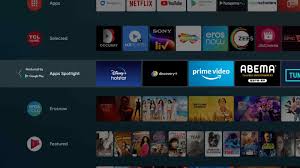
Finding a reliable Android TV Service Near Me is essential when your smart TV shows display problems, sound issues, software errors, or needs professional wall mounting. Android TVs are highly advanced and offer excellent picture quality, smart connectivity, Google Play Store apps, Bluetooth pairing, and voice control. But like all smart devices, they occasionally require expert servicing to restore performance and avoid long-term damage.
This detailed article explains everything you need to know about Android TV installation, common issues, repair solutions, service benefits, maintenance tips, and why choosing professional technicians is the safest option for your TV.
Why Android TVs Need Professional Installation & Service
Android TVs contain delicate electronic components such as LED panels, T-Con boards, motherboards, power circuits, and WiFi modules. Proper installation and servicing protect these parts from damage.
✔ Correct Wall Mounting
Professionals choose the perfect height and viewing angle based on room size, sofa placement, and lighting conditions.
✔ Secure Bracket Fitting
A strong bracket ensures that the TV doesn’t tilt, shake, or fall. Experts use strong anchors and tools depending on wall type.
✔ Cable Arrangement
Proper cable routing improves signal quality and maintains a clean look.
✔ Software Setup
Technicians complete Android setup, WiFi connection, Google login, app installation, and optimization.
Common Problems That Require Android TV Service Near You
Here are the most frequent issues faced by Android TV users:
1. Android TV Showing No Display
A blank screen is usually caused by:
- Faulty backlight
- Panel damage
- T-Con failure
- Voltage fluctuations
Trained technicians test internal circuits and determine whether repair or replacement is required.
2. Sound Problems
If your TV has no sound or low audio:
- Speaker failure
- Audio IC issue
- Software glitch
- Motherboard fault
Sound testing tools help identify the root cause quickly.
3. TV Not Turning On
Power issues may occur due to:
- Damaged power board
- SMPS failure
- Loose internal cables
- Faulty motherboard
Professionals inspect the circuits and repair at component level to save cost.
4. Android System Hanging / Restarting
This is common due to:
- Corrupted software
- Overloaded apps
- Memory failure
- Mainboard issues
Experts reinstall software or update firmware to restore speed.
5. WiFi Not Connecting / Bluetooth Issues
Technicians check:
- WiFi antenna module
- Router compatibility
- Firmware errors
- Hardware-related faults
Network stability is important for Android TVs.
6. Lines on Screen / Flickering
Caused by:
- Panel damage
- Loose LVDS cables
- T-Con failure
- Moisture exposure
Timely repair prevents further screen damage.
7. Remote / Voice Control Issues
The IR sensor or Bluetooth module may need servicing.
Forms of Android TV Installation
1. Standard Wall Mount
Basic installation for bedrooms and offices.
2. Tilt Wall Mount
Best for high wall positions; allows screen angle adjustments.
3. Swivel / Full Motion Wall Mount
Perfect for large halls and corner walls.
4. Table-Top Stand Installation
Ideal for renters or users who don’t want wall drilling.
All installations include:
- Cable setup
- Picture calibration
- Sound optimization
- Google configuration
Benefits of Choosing Professional Android TV Service Near Me
✔ Quick Doorstep Service
Technicians reach your home quickly with proper tools.
✔ Accurate Fault Identification
Professional diagnosis prevents repeated problems.
✔ Affordable Repair Charges
Local technicians offer budget-friendly rates.
✔ High-Quality Spare Parts
Using good components increases TV lifespan.
✔ Repair Warranty
Reliable service providers give 30–90 days warranty.
✔ Professional Mounting & Alignment
Improves viewing comfort and protects the panel.
How Professional Android TV Servicing Works
Step 1: Inspection
Checking TV model, display, sound, motherboard, and software.
Step 2: Fault Detection
Using testing tools to identify component damage.
Step 3: Cost Estimate
Providing a clear repair cost before starting work.
Step 4: Repair / Replacement
Fixing the problem through component-level service.
Step 5: Testing
Ensuring smooth display, sound, internet, and app function.
Step 6: Customer Demo
Explaining usage, app setup, and performance checks.
Step 7: Warranty
Providing written warranty details for service.
Android TV Maintenance Tips for a Longer Lifespan
Proper care helps avoid frequent repairs.
- Use a voltage stabilizer to protect power boards
- Keep TV away from direct heat or moisture
- Update Android software regularly
- Avoid spraying liquids directly on the screen
- Use good-quality HDMI cables
- Do not overload TV storage with unnecessary apps
- Maintain proper ventilation around the TV
Why Local Android TV Service Near Me Is Better Than DIY Repairs
DIY repairs can:
- Damage the LED panel
- Cause electric shock
- Void warranty
- Damage the mainboard
A trained technician has:
- Circuit knowledge
- Component testing equipment
- Original spare parts
- Experience repairing multiple brands
This ensures safe and effective repair.
Brands Covered by Android TV Service Technicians
- Mi Android TV
- OnePlus TV
- Sony Bravia Android TV
- TCL Android TV
- Vu Android TV
- LG Android TV
- Samsung Android TV
- Realme TV
- Motorola TV
- Philips Android TV
No matter which brand you have, Android OS-based TVs follow similar servicing principles.
Conclusion
Choosing a trusted Android TV Service Near Me ensures smooth installation, accurate repairs, perfect wall mounting, and long-term performance. Whether you are facing display issues, sound problems, WiFi errors, app malfunctions, or motherboard faults, expert technicians provide quick and reliable solutions at your doorstep. With proper maintenance and professional care, your Android TV will continue to deliver high-quality entertainment for years.
Table of Contents
Finding a reliable Android TV Service Near Me is essential when your smart TV shows display problems, sound issues, software errors, or needs professional wall mounting. Android TVs are highly advanced and offer excellent picture quality, smart connectivity, Google Play Store apps, Bluetooth pairing, and voice control. But like all smart devices, they occasionally require expert servicing to restore performance and avoid long-term damage.
This detailed article explains everything you need to know about Android TV installation, common issues, repair solutions, service benefits, maintenance tips, and why choosing professional technicians is the safest option for your TV.
Why Android TVs Need Professional Installation & Service
Android TVs contain delicate electronic components such as LED panels, T-Con boards, motherboards, power circuits, and WiFi modules. Proper installation and servicing protect these parts from damage.
✔ Correct Wall Mounting
Professionals choose the perfect height and viewing angle based on room size, sofa placement, and lighting conditions.
✔ Secure Bracket Fitting
A strong bracket ensures that the TV doesn’t tilt, shake, or fall. Experts use strong anchors and tools depending on wall type.
✔ Cable Arrangement
Proper cable routing improves signal quality and maintains a clean look.
✔ Software Setup
Technicians complete Android setup, WiFi connection, Google login, app installation, and optimization.
Common Problems That Require Android TV Service Near You
Here are the most frequent issues faced by Android TV users:
1. Android TV Showing No Display
A blank screen is usually caused by:
Faulty backlight
Panel damage
T-Con failure
Voltage fluctuations
Trained technicians test internal circuits and determine whether repair or replacement is required.
2. Sound Problems
If your TV has no sound or low audio:
Speaker failure
Audio IC issue
Software glitch
Motherboard fault
Sound testing tools help identify the root cause quickly.
3. TV Not Turning On
Power issues may occur due to:
Damaged power board
Android TV Service Near Me
SMPS failure
Loose internal cables
Android TV Service Near Me
Faulty motherboard
Professionals inspect the circuits and repair at component level to save cost.
4. Android System Hanging / Restarting
This is common due to:
Corrupted software
Android TV Service Near Me
Overloaded apps
Memory failure
Mainboard issues
Experts reinstall software or update firmware to restore speed.
5. WiFi Not Connecting / Bluetooth Issues
Technicians check:
WiFi antenna module
Router compatibility
Firmware errors
Hardware-related faults
Network stability is important for Android TVs.
6. Lines on Screen / Flickering
Android TV Service Near Me
Caused by:
Panel damage
Loose LVDS cables
T-Con failure
Moisture exposure
Timely repair prevents further screen damage.
7. Remote / Voice Control Issues
The IR sensor or Bluetooth module may need servicing.
Forms of Android TV Installation
1. Standard Wall Mount
Basic installation for bedrooms and offices.
2. Tilt Wall Mount
Best for high wall positions; allows screen angle adjustments.
3. Swivel / Full Motion Wall Mount
Android TV Service Near Me
Perfect for large halls and corner walls.
Android TV Service Near Me
4. Table-Top Stand Installation
Ideal for renters or users who don’t want wall drilling.
All installations include:
Cable setup
Picture calibration
Sound optimization
Google configuration
Benefits of Choosing Professional Android TV Service Near Me
✔ Quick Doorstep Service
Technicians reach your home quickly with proper tools.
✔ Accurate Fault Identification
Professional diagnosis prevents repeated problems.
✔ Affordable Repair Charges
Local technicians offer budget-friendly rates.
✔ High-Quality Spare Parts
Using good components increases TV lifespan.
Android TV Service Near Me
✔ Repair Warranty
Reliable service providers give 30–90 days warranty.
✔ Professional Mounting & Alignment
Improves viewing comfort and protects the panel.
How Professional Android TV Servicing Works
Step 1: Inspection
Checking TV model, display, sound, motherboard, and software.
Step 2: Fault Detection
Using testing tools to identify component damage.
Step 3: Cost Estimate
Providing a clear repair cost before starting work.
Step 4: Repair / Replacement
Fixing the problem through component-level service.
Step 5: Testing
Ensuring smooth display, sound, internet, and app function.
Step 6: Customer Demo
Explaining usage, app setup, and performance checks.
Step 7: Warranty
Providing written warranty details for service.
Android TV Maintenance Tips for a Longer Lifespan
Proper care helps avoid frequent repairs.
Use a voltage stabilizer to protect power boards
Keep TV away from direct heat or moisture
Update Android software regularly
Avoid spraying liquids directly on the screen
Use good-quality HDMI cables
Do not overload TV storage with unnecessary apps
Maintain proper ventilation around the TV
Android TV Service Near Me
Why Local Android TV Service Near Me Is Better Than DIY Repairs
DIY repairs can:
Damage the LED panel
Cause electric shock
Void warranty
Damage the mainboard
A trained technician has:
Circuit knowledge
Component testing equipment
Original spare parts
Experience repairing multiple brands
This ensures safe and effective repair.
Brands Covered by Android TV Service Technicians
Mi Android TV
OnePlus TV
Sony Bravia Android TV
TCL Android TV
Vu Android TV
LG Android TV
Samsung Android TV
Realme TV
Motorola TV
Philips Android TV
No matter which brand you have, Android OS-based TVs follow similar servicing principles.
Android TV Service Near Me
Conclusion
Choosing a trusted Android TV Service Near Me ensures smooth installation, accurate repairs, perfect wall mounting, and long-term performance. Whether you are facing display issues, sound problems, WiFi errors, app malfunctions, or motherboard faults, expert technicians provide quick and reliable solutions at your doorstep. With proper maintenance and professional care, your Android TV will continue to deliver high-quality entertainment for years.
Finding a reliable Android TV Service Near Me is essential when your smart TV shows display problems, sound issues, software errors, or needs professional wall mounting. Android TVs are highly advanced and offer excellent picture quality, smart connectivity, Google Play Store apps, Bluetooth pairing, and voice control. But like all smart devices, they occasionally require expert servicing to restore performance and avoid long-term damage. This detailed article explains everything you need to know about Android TV installation, common issues, repair solutions, service benefits, maintenance tips, and why choosing professional technicians is the safest option for your TV. Why Android TVs Need Professional Installation & Service Android TVs contain delicate electronic components such as LED panels, T-Con boards, motherboards, power circuits, and WiFi modules. Proper installation and servicing protect these parts from damage. ✔ Correct Wall Mounting Professionals choose the perfect height and viewing angle based on room size, sofa placement, and lighting conditions. ✔ Secure Bracket Fitting A strong bracket ensures that the TV doesn’t tilt, shake, or fall. Experts use strong anchors and tools depending on wall type. ✔ Cable Arrangement Proper cable routing improves signal quality and maintains a clean look. ✔ Software Setup Technicians complete Android setup, WiFi connection, Google login, app installation, and optimization. Common Problems That Require Android TV Service Near You Here are the most frequent issues faced by Android TV users: 1. Android TV Showing No Display A blank screen is usually caused by: Faulty backlight Panel damage T-Con failure Voltage fluctuations Trained technicians test internal circuits and determine whether repair or replacement is required. 2. Sound Problems If your TV has no sound or low audio: Speaker failure Audio IC issue Software glitch Motherboard fault Sound testing tools help identify the root cause quickly. 3. TV Not Turning On Power issues may occur due to: Damaged power board Android TV Service Near Me SMPS failure Loose internal cables Android TV Service Near Me Faulty motherboard Professionals inspect the circuits and repair at component level to save cost. 4. Android System Hanging / Restarting This is common due to: Corrupted software Android TV Service Near Me Overloaded apps Memory failure Mainboard issues Experts reinstall software or update firmware to restore speed. 5. WiFi Not Connecting / Bluetooth Issues Technicians check: WiFi antenna module Router compatibility Firmware errors Hardware-related faults Network stability is important for Android TVs. 6. Lines on Screen / Flickering Android TV Service Near Me Caused by: Panel damage Loose LVDS cables T-Con failure Moisture exposure Timely repair prevents further screen damage. 7. Remote / Voice Control Issues The IR sensor or Bluetooth module may need servicing. Forms of Android TV Installation 1. Standard Wall Mount Basic installation for bedrooms and offices. 2. Tilt Wall Mount Best for high wall positions; allows screen angle adjustments. 3. Swivel / Full Motion Wall Mount Android TV Service Near Me Perfect for large halls and corner walls. Android TV Service Near Me 4. Table-Top Stand Installation Ideal for renters or users who don’t want wall drilling. All installations include: Cable setup Picture calibration Sound optimization Google configuration Benefits of Choosing Professional Android TV Service Near Me ✔ Quick Doorstep Service Technicians reach your home quickly with proper tools. ✔ Accurate Fault Identification Professional diagnosis prevents repeated problems. ✔ Affordable Repair Charges Local technicians offer budget-friendly rates. ✔ High-Quality Spare Parts Using good components increases TV lifespan. Android TV Service Near Me ✔ Repair Warranty Reliable service providers give 30–90 days warranty. ✔ Professional Mounting & Alignment Improves viewing comfort and protects the panel. How Professional Android TV Servicing Works Step 1: Inspection Checking TV model, display, sound, motherboard, and software. Step 2: Fault Detection Using testing tools to identify component damage. Step 3: Cost Estimate Providing a clear repair cost before starting work. Step 4: Repair / Replacement Fixing the problem through component-level service. Step 5: Testing Ensuring smooth display, sound, internet, and app function. Step 6: Customer Demo Explaining usage, app setup, and performance checks. Step 7: Warranty Providing written warranty details for service. Android TV Maintenance Tips for a Longer Lifespan Proper care helps avoid frequent repairs. Use a voltage stabilizer to protect power boards Keep TV away from direct heat or moisture Update Android software regularly Avoid spraying liquids directly on the screen Use good-quality HDMI cables Do not overload TV storage with unnecessary apps Maintain proper ventilation around the TV Android TV Service Near Me Why Local Android TV Service Near Me Is Better Than DIY Repairs DIY repairs can: Damage the LED panel Cause electric shock Void warranty Damage the mainboard A trained technician has: Circuit knowledge Component testing equipment Original spare parts Experience repairing multiple brands This ensures safe and effective repair. Brands Covered by Android TV Service Technicians Mi Android TV OnePlus TV Sony Bravia Android TV TCL Android TV Vu Android TV LG Android TV Samsung Android TV Realme TV Motorola TV Philips Android TV No matter which brand you have, Android OS-based TVs follow similar servicing principles. Android TV Service Near Me Conclusion Choosing a trusted Android TV Service Near Me ensures smooth installation, accurate repairs, perfect wall mounting, and long-term performance. Whether you are facing display issues, sound problems, WiFi errors, app malfunctions, or motherboard faults, expert technicians provide quick and reliable solutions at your doorstep. With proper maintenance and professional care, your Android TV will continue to deliver high-quality entertainment for years.
